Imagine you are running a busy restaurant completely by yourself. You have to welcome guests at the door, seat them, write down their order, run to the kitchen to cook the meal, serve it, clear the table, wash the dishes, and handle the payment.
As soon as a second group of customers enters, the entire system collapses. You are jumping between tasks, dropping plates, forgetting orders, and exhausting yourself.
This is exactly what the modern digital workspace feels like.
Every single day, we hop back and forth between dozens of browser tabs and applications. We read an email in Gmail, copy the customer's details, paste them into a Google Sheet, create a card in Notion or Trello, schedule a calendar invite, and ping the team on Slack. We are performing the digital equivalent of running from the dining room to the kitchen and back again, manual step by manual step.
 Modern digital chaos: jumping between disconnected applications and drowning in repetitive, manual tasks.
What if you could build an automated assembly line where every application talks to each other in perfect harmony, passing data automatically, while you focus on the bigger picture?
That is exactly what n8n does. Let's break it down from first principles using the Richard Feynman Technique—explaining complex technological ideas with simple, everyday analogies.
1. What is n8n? The LEGO Analogy
At its core, n8n is an open-source workflow automation tool. But instead of writing thousands of lines of complex API integration code, n8n lets you build automations like a 12-year-old builds with LEGO.
In the world of LEGO, you have individual plastic blocks of different colors and shapes. Each block has a specific shape and snaps into other blocks to build a castle, a spaceship, or a bridge.
In n8n:
- The LEGO Blocks are called "Nodes". Each node represents a single application or action. For example, there is a Gmail Node, a Google Sheets Node, a Notion Node, and a Slack Node.
- Snapping them together creates a "Workflow". You drag one node next to another and draw a line between them. This tells n8n: "Once the first node is done, pass its data directly to the second node."
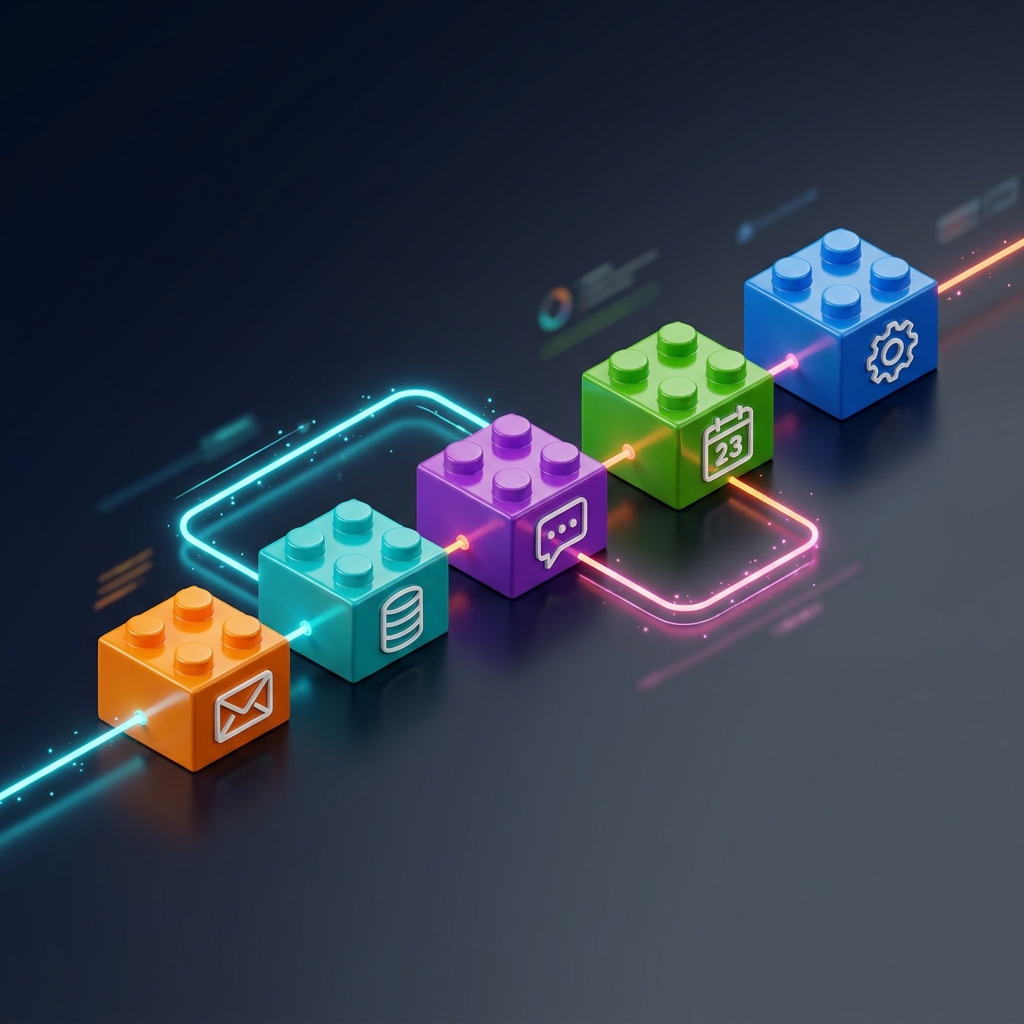 Workflow automation as interlocking blocks: data flows seamlessly from one application's node to the next.
Unlike traditional code where an API update can break your entire system, n8n acts as a universal translator. It takes care of the complicated details of talking to different apps under the hood, presenting you with clean, visual building blocks that you can snap together to build anything.
2. Triggers and Actions: The Factory Floor
To understand how an n8n workflow operates, think of a modern, automated factory assembly line.
On a factory floor, nothing moves until a specific event happens—such as raw materials arriving at the loading dock. Once that happens, a series of specialized robotic arms perform actions in sequence: sorting, painting, packaging, and shipping.
An n8n workflow operates on the exact same principle, divided into two types of nodes:
1. The Trigger Node (The Doorbell)
Every workflow needs a start button. A trigger is a node that waits for a specific event to occur in the outside world. Until that event happens, the workflow sleeps.
- Example Triggers: "When a new email arrives in my inbox," "When someone submits a contact form," or "Every morning at 9:00 AM."
2. The Action Node (The Worker)
An action node is a worker on the assembly line that performs a specific task using the data passed down to it from the trigger.
- Example Actions: "Draft a reply to this email," "Write a new row in Google Sheets," or "Send a Slack alert."
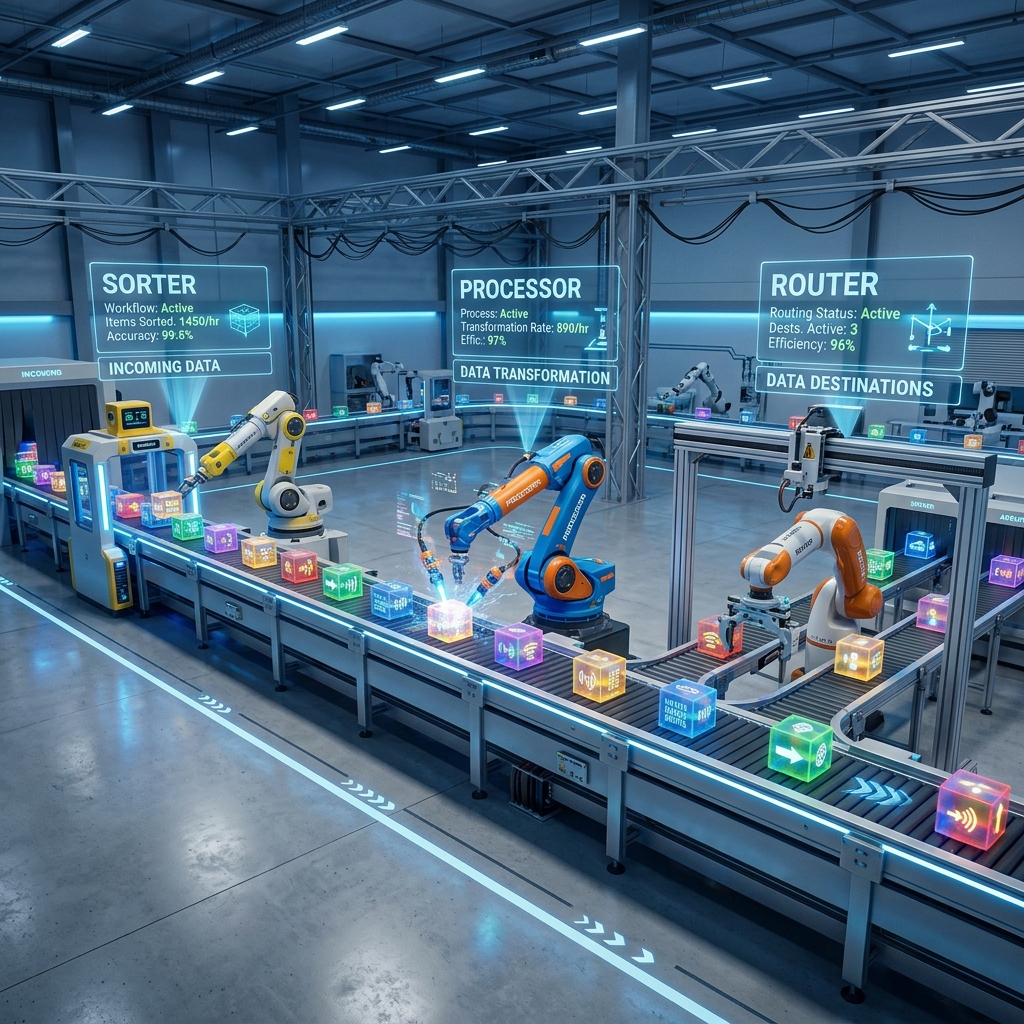 An n8n workflow is like an automated assembly line: a single trigger event starts a chain reaction of highly specialized action steps.
Because data is passed from node to node in a standardized format called JSON (a simple way of labeling information so computers and humans can read it), the Slack worker knows exactly what message to send because the Gmail trigger handed it the customer's email content.
3. LLMs vs. AI Agents: The Parrot vs. The Robot Helper
Recently, n8n introduced something truly revolutionary: the ability to build and run AI Agents directly inside your workflows. To understand why this is a game-changer, we must understand the difference between a standard Large Language Model (LLM) and an AI Agent.
The LLM is a Smart Parrot
Imagine a highly intelligent parrot. It has memorized every encyclopedia, dictionary, and book in the world. If you ask it a question, it can recite an answer in perfect, elegant prose. It is amazing at language. But if you tell the parrot: "Go to my calendar, find a free slot on Thursday afternoon, and invite my client John to a meeting," the parrot will just look at you and repeat the words. The parrot has no hands. It has no tools. It cannot interact with the outside world.
The AI Agent is a Robot Helper
An AI Agent is that same intelligent parrot, but placed inside a physical robot chassis with a toolbox, hands, and a blueprint.
When you give the robot helper a goal: "Schedule a meeting with John," it doesn't just talk. It follows a three-step cycle:
- Plan: It analyzes the goal and plans its steps ("First I need to find John's email, then check my calendar, then send the invite").
- Use Tools: It opens its toolbox, grabs the "Calendar Tool" (a calendar node) and the "Contact Tool" (a contact database node), and carries out the action.
- Evaluate & Report: It checks if the invite was successfully sent, and pings you back with a completion message.
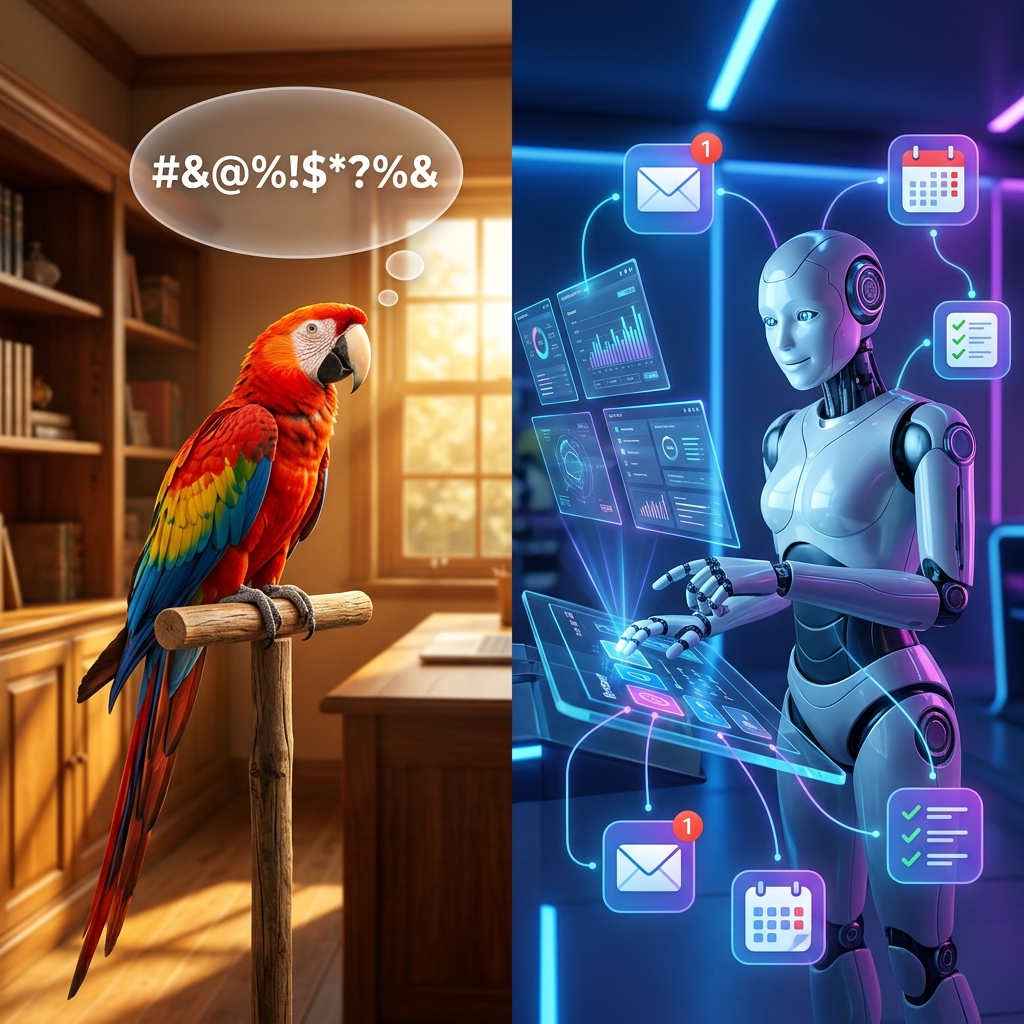 An LLM (left) can only generate text based on patterns. An AI Agent (right) acts as a goal-oriented reasoning loop capable of choosing and operating tools autonomously.
In n8n, you can drag an AI Agent Node onto your canvas, attach a Chat Model (its LLM brain), give it Memory (so it remembers what you said two messages ago), and hand it Tools (any other n8n nodes, like Gmail or Slack). The agent can then autonomously decide when and how to use those tools to accomplish your goal.
4. MCP Servers: The Universal USB-C Adapter
As your automation ecosystems grow, you will eventually need to connect your AI agents to highly specialized, private, or complex systems (like local databases, internal company tools, or specific software like Jira).
Hand-crafting custom integrations for every single private tool is a nightmare. This is where the Model Context Protocol (MCP) comes in. Think of MCP as the USB-C port for AI models.
Before USB-C, every device had its own proprietary cable. If you had a camera, a phone, a laptop, and a hard drive, you needed a tangled drawer full of different cables. USB-C solved this by introducing a single, universal port. No matter what the device is, if it has a USB-C port, it plugs in and works.
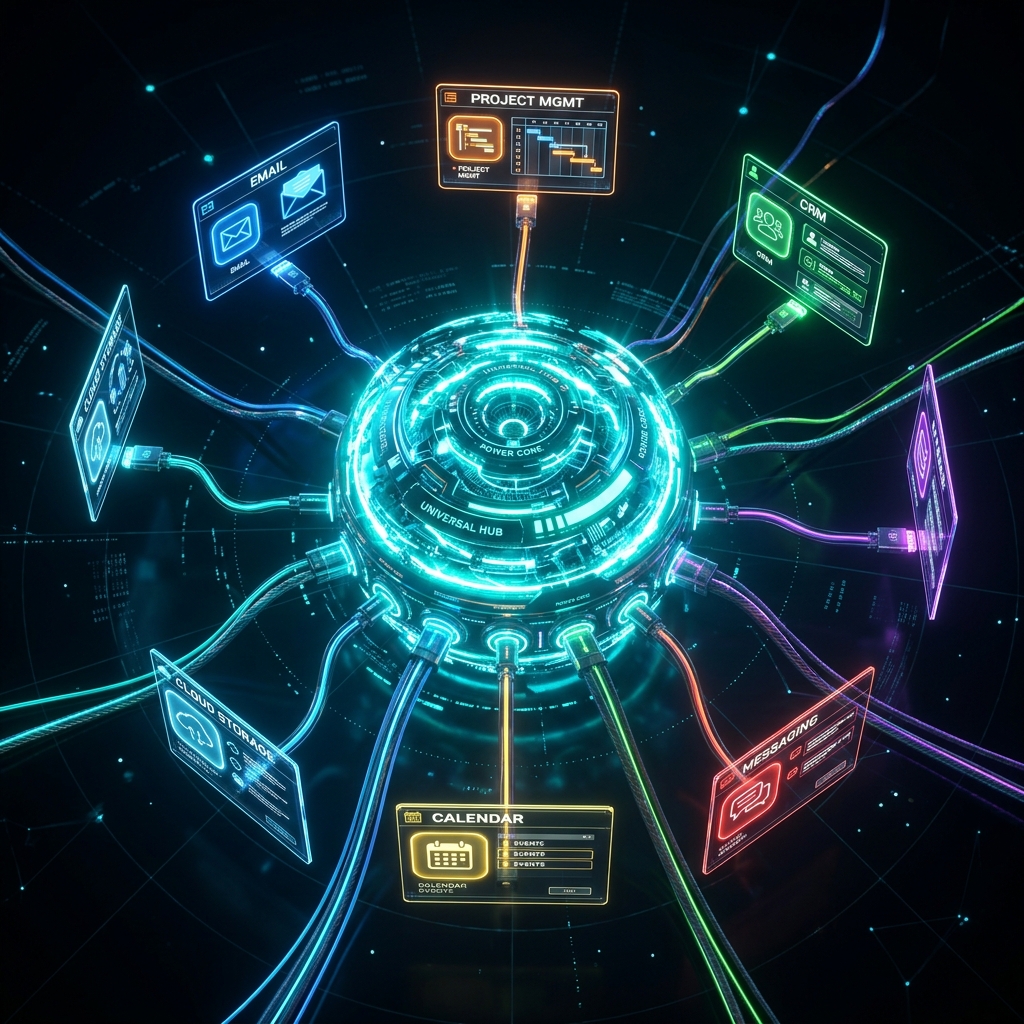 The Model Context Protocol (MCP) acts as a universal connector, allowing an AI model to safely plug into and converse with any database, local file, or external software.
An MCP Server acts as that universal socket. By utilizing MCP in n8n:
- Your AI agent acts as the Host (the laptop).
- The specialized databases, local code files, or platforms act as Servers (the external devices).
- MCP provides the secure, unified interface to let the AI safely read and write to those sources instantly.
This allows you to construct hybrid workflows: using simple visual n8n nodes for everyday tasks (like sending a Slack notification), while plugging in specialized MCP adapters to let the AI inspect and modify deep enterprise code repositories or private company databases on the fly.
The Verdict: Automate or Be Automated
The magic of n8n is that it democratizes engineering. It breaks down the high wall of complex programming, giving anyone the ability to build robust, scalable, and intelligent automated systems.
By separating triggers from actions, designing visually with LEGO-like nodes, and upgrading your workflows with autonomous AI agents and universal MCP adapters, you can permanently escape the digital chaos of manual app-hopping.
Stop playing the role of the overwhelmed restaurant worker running back and forth. Build the assembly line. Let the robots handle the repetitive loops, so you can focus on building what matters next.
References & Further Reading
This article synthesizes practical automation concepts from the foundational literature and tutorials:
- n8n Book for Beginners by Arsath Natheem S — A comprehensive handbook detailing AI Agent architectures, node mechanics, and secure credential handling.
- n8n Course for Beginners: Build Complex Workflows & Master AI Integration by Gavin Lon (via freeCodeCamp) — A masterclass covering REST APIs, OAuth2, and multi-agent CV routing and scheduling workflows.
- Model Context Protocol (MCP) Specifications — The open standard for connecting AI models to secure local and remote data sources.