Have you ever seen a senior engineer navigate a codebase with lightning speed, their hands never leaving the center of the keyboard, without a mouse in sight? They are likely using Vim.
To the uninitiated, Vim looks like a cryptic relic. But if you look at it through the lens of the Richard Feynman Technique, you'll realize it's not just an editor—it's a language for manipulating text.
Let's break down the steep learning curve of Vim using analogies that make sense.
1. The Musical Instrument: Playing vs. Recording
Most text editors (like Notepad or VS Code in default mode) are what we call modeless. You are always in "Recording Mode." Every key you press writes a character.
Vim is Modal. It treats text editing like playing a Piano.
 In Vim, your keyboard is a musical instrument. Most of the time, you aren't 'typing'—you are 'playing' commands to orchestrate your code.
When a pianist plays, they don't just hit keys to make noise; they follow a score. In Vim:
- Normal Mode is your resting state. You are a navigator, moving through the score.
- Insert Mode is where you actually record the notes (the text).
- Visual Mode is where you highlight segments to transform them.
This separation of "Navigation" and "Composition" is the secret to high-speed editing.
2. The Grammar of Motion: Verb + Count + Noun
One of the biggest misconceptions about Vim is that you have to memorize hundreds of random shortcuts. You don't. You only need to learn a Grammar.
Vim works like a spoken language. You combine Verbs (actions) with Nouns (locations/objects).
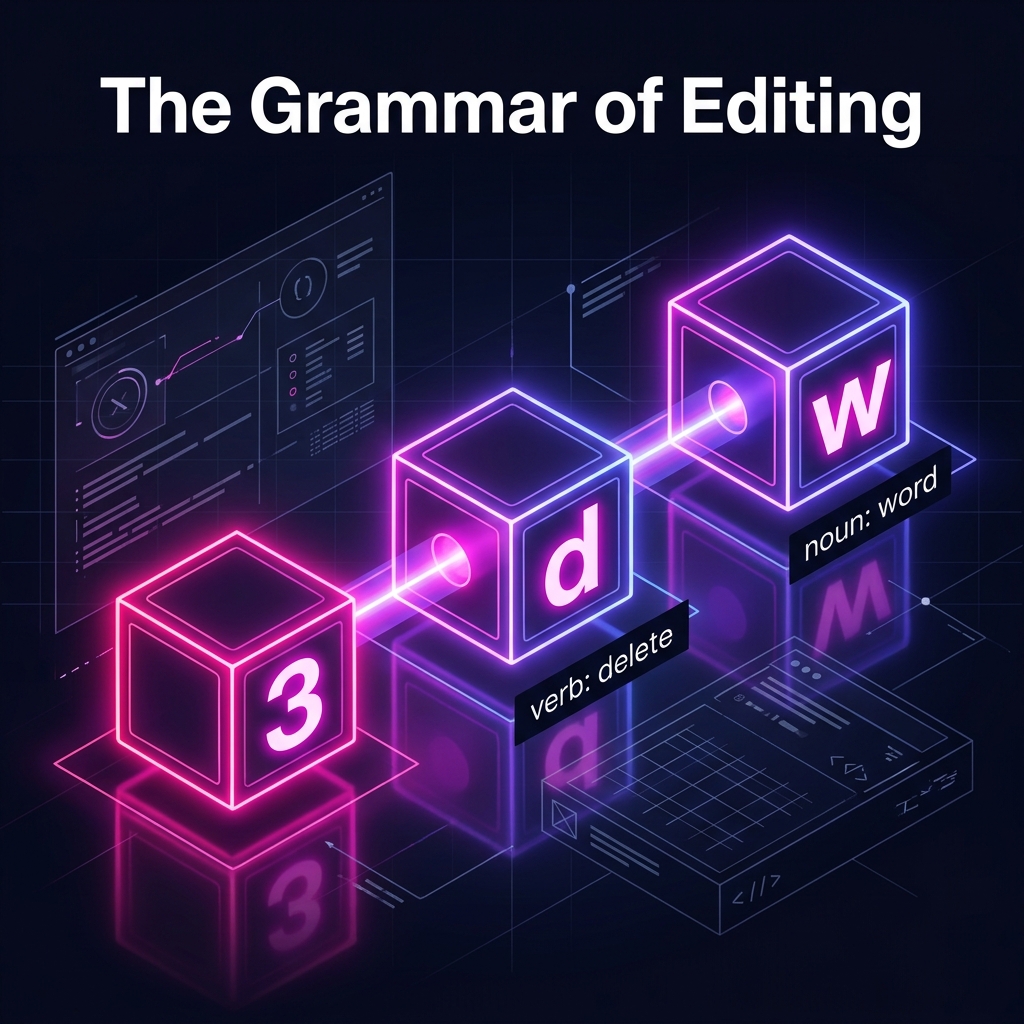 Commands in Vim are sentences. By combining a count, a verb, and a noun, you can perform complex operations with just three or four keystrokes.
Look at how logical it is:
- Verbs:
d(delete),c(change),y(yank/copy). - Nouns (Motions):
w(word),s(sentence),p(paragraph),t)(until the next parenthesis).
If you want to delete three words, you don't hit backspace thirty times. You speak to the editor:
3 (Count) + d (Verb) + w (Noun). 3dw.
Once you learn the "Verbs" and "Nouns," the number of things you can do grows exponentially without any extra memorization.
3. The Home Row Island: Why We Stay Put
Why use h, j, k, and l to move instead of the arrow keys? It seems masochistic at first.
Imagine your hands are on an Island (the Home Row). Every time you reach for the arrow keys or the mouse, you have to "swim" away from the island and "swim" back. Over a 10-hour coding session, you are doing miles of unnecessary swimming.
 Vim is designed around the Home Row. By keeping your fingers on the ASDF and HJKL keys, you eliminate the mechanical latency of moving your arm, allowing your editing speed to match the speed of your thoughts.
As Steve Oualline points out in the official Vim documentation, these keys weren't chosen at random—they were chosen because they are the most accessible keys on a standard keyboard. High-performance engineering is as much about ergonomics as it is about logic.
4. The Safety Net: Time Travel for Text
Because Vim is so powerful, it’s easy to make a mistake. But Vim treats history differently than other editors. Most editors have a linear undo. Vim has an Undo Tree.
- u: Undo the last "sentence" you spoke.
- Ctrl-R: Redo (Undo the Undo).
It’s like having a Time Machine for every line of code. You can branch off, try a complex regex transformation, and if it fails, teleport back to safety in a single keystroke.
Reference & Further Reading
This guide was synthesized from the architectural principles and tutorials found in:
- VIM - Vi IMproved by Steve Oualline. (Chapter 1: "Basic Editing" and Chapter 2: "Editing a Little Faster").
- This book is the definitive "OPL" (Open Publication License) resource that has trained generations of Linux experts.
The Verdict
Vim isn't hard because it's poorly designed; it's hard because it asks you to learn a language rather than a set of shortcuts.
Once you stop "typing" and start "speaking" to your code, you’ll never want to go back to a modeless editor again. You aren't just an engineer anymore—you're a composer.