Every time you open a browser, play music, and check your email at the same time, something extraordinary is happening behind the scenes. Your computer has only one brain (the CPU), yet it appears to be doing a dozen things simultaneously.
How?
The answer is the Operating System (OS) — arguably the most important piece of software ever written. It is the invisible manager that makes the illusion of multitasking possible, keeps your programs from crashing into each other, and decides which task deserves attention next.
Let's use the Richard Feynman Technique — translating complex technical concepts into simple, everyday analogies — to understand exactly how an operating system works under the hood.
1. What Is an Operating System? The Restaurant Manager
To understand an OS, imagine a busy restaurant on a Saturday night.
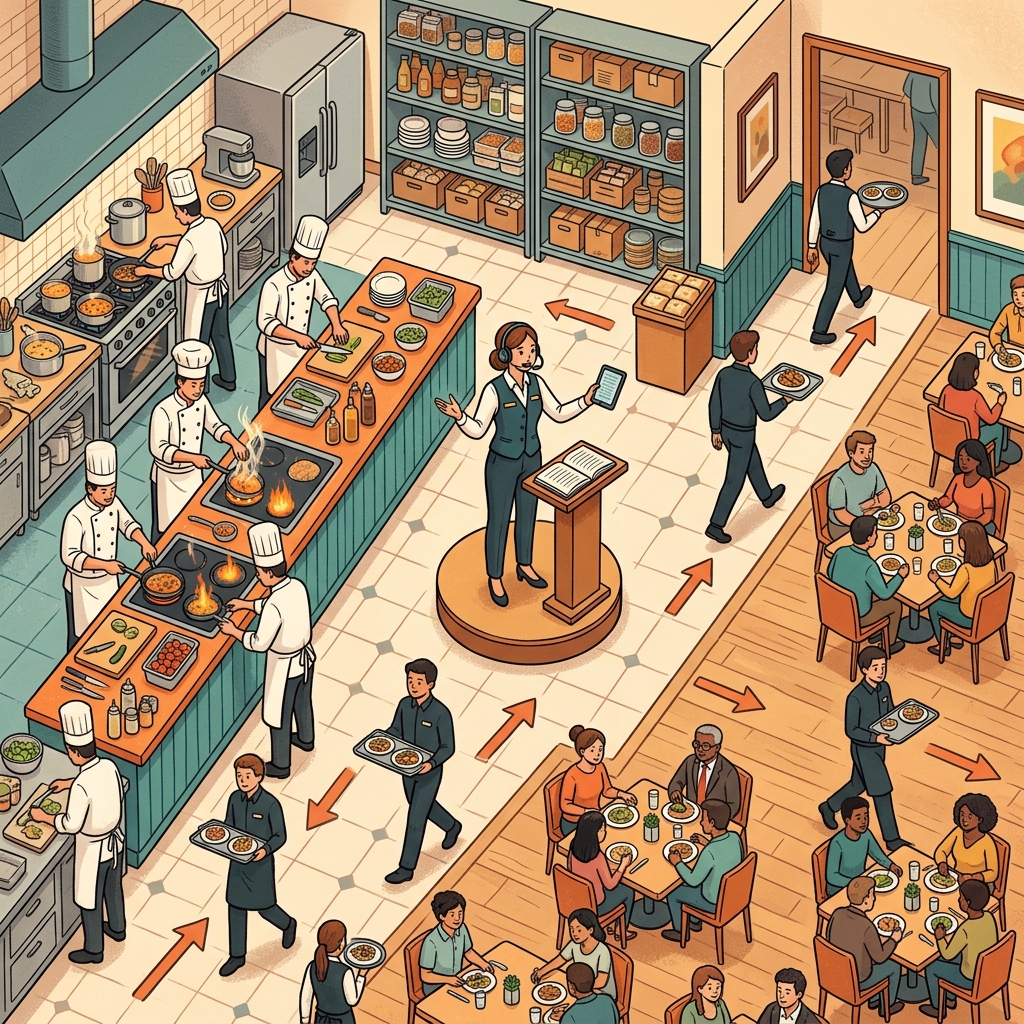 The Operating System is the restaurant manager: coordinating the kitchen (CPU), the pantry (Memory), the waiters (I/O), and the reservation book (Scheduler).
A restaurant has many moving parts:
- The kitchen (the CPU) where the actual cooking happens.
- The pantry and refrigerators (Memory) storing ingredients.
- The waiters (Input/Output) carrying dishes between the kitchen and the tables.
- The reservation book (the Scheduler) deciding which table gets served next.
Now imagine all of this without a manager. Chefs argue over who uses the stove. Waiters collide in the hallway. Customers wait an hour for a glass of water. Total chaos.
The Operating System is the restaurant manager. It doesn't cook. It doesn't serve food. But it coordinates everything so the kitchen runs smoothly, every customer is served, and nobody crashes into anybody else.
In technical terms, the OS has three fundamental responsibilities:
- Resource Management: Allocating the CPU, memory, and I/O devices to programs that need them — just like the manager assigns stations and tables.
- Abstraction: Providing a simple, uniform interface so programmers don't have to deal with the raw hardware — just like the waiter provides a menu instead of making customers forage through the pantry.
- Isolation and Protection: Preventing one program from reading or corrupting another program's data — just like the manager doesn't let one table's waiter steal food from another table's order.
2. Processes and Threads: The Factory and Its Workers
When you open your web browser and then open Spotify, the operating system creates two processes — completely separate programs, each with their own private memory space.
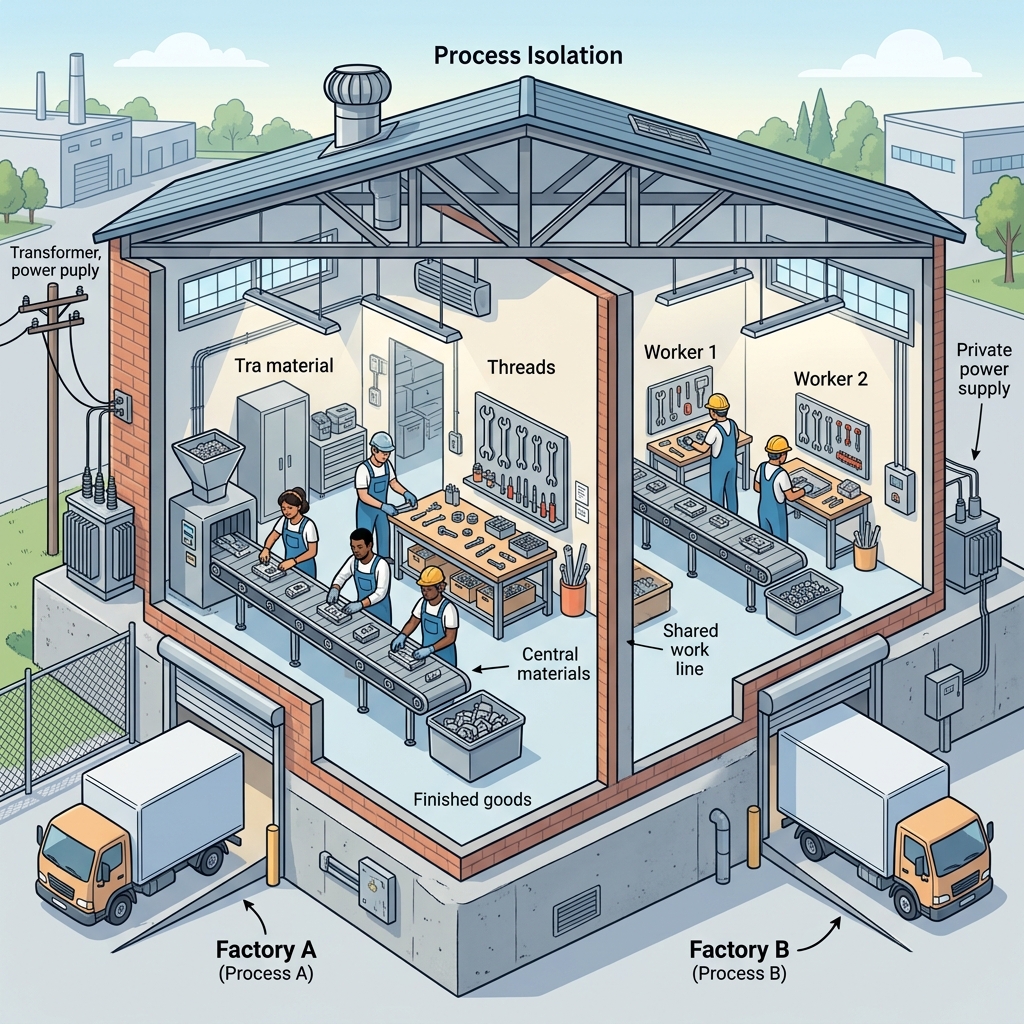 A process is a self-contained factory with its own walls, power supply, and loading dock. Threads are the workers inside, sharing the same tools and workspace.
Processes: The Isolated Factories
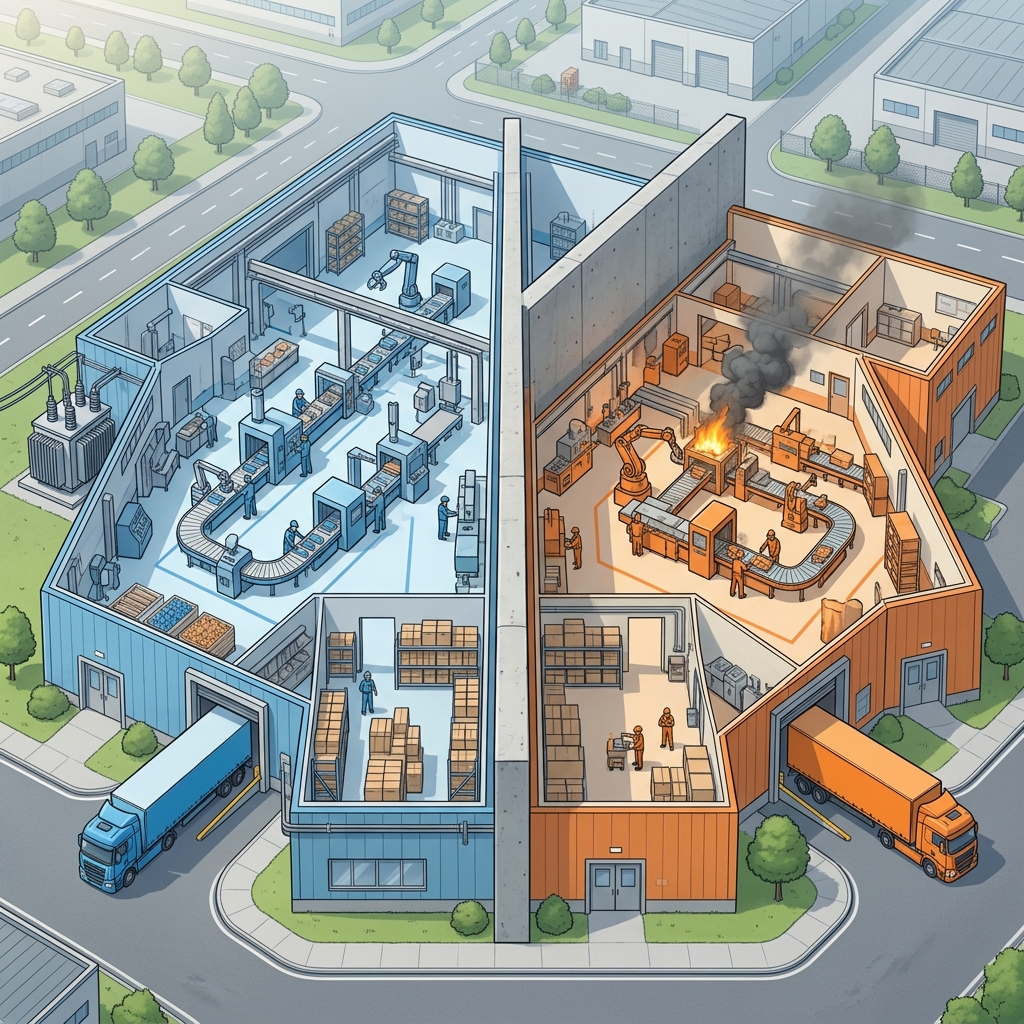 Each process is a completely isolated factory. If one catches fire (crashes), the other keeps running normally.
Think of each process as a factory with thick concrete walls. Factory A (the browser) has its own walls, its own electrical wiring, its own loading dock, its own storage room. Factory B (Spotify) has all the same things, completely independently.
This isolation is critical. If a factory catches fire (a process crashes), the other factories keep running normally. Your browser crashing doesn't kill Spotify. Each process has its own:
- Address space (its own warehouse of materials)
- Program counter (its own assembly line position)
- Open files and network connections (its own shipping department)
Threads: The Workers Inside a Factory
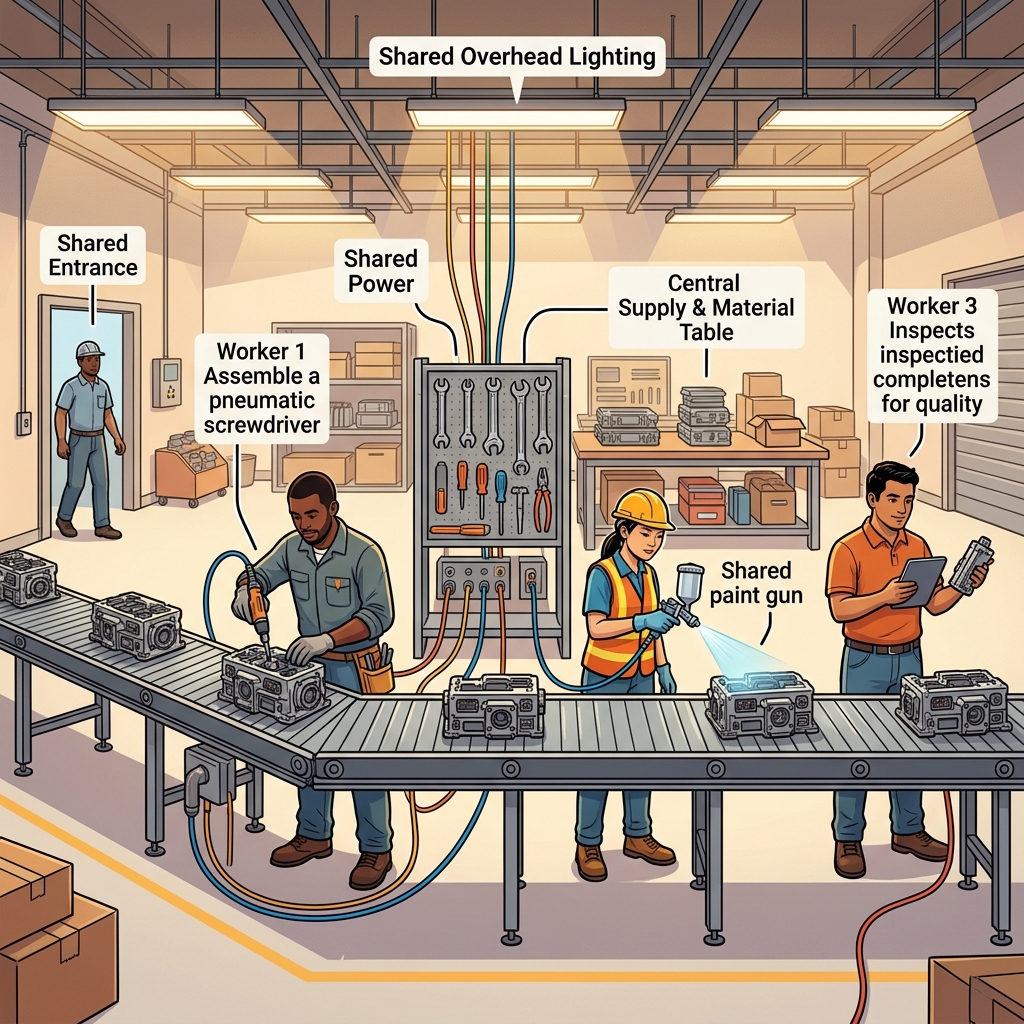 Threads are workers inside the same factory: they share the tools, the power supply, and the conveyor belt — but each handles a different task.
Inside a single factory, however, you often have multiple workers (threads) operating on the same assembly line. They share the same tools, materials, and workspace — but each worker keeps track of where they are in their own task.
A web browser, for example, runs multiple threads inside a single process:
- One thread renders the page you are reading.
- Another thread downloads images in the background.
- Another thread plays a video.
Because they share the factory's resources, threads are much cheaper to create and switch between than entire processes. Creating a new thread is like hiring another worker in the same factory. Creating a new process is like building an entirely new factory from scratch.
But the shared workspace is a double-edged sword: if two workers try to use the same tool at the same time without coordination, they break something. This is the dreaded concurrency problem we will explore in Section 5.
3. Context Switching: The Juggler's Act
 Context switching is like a juggler swapping props mid-act: save one set, pick up another, keep the show going — but every swap costs time.
If your computer has a single CPU core, how can it run 50 processes "at the same time"?
It doesn't. It fakes it.
The OS rapidly switches the CPU between processes — so fast (thousands of times per second) that it looks simultaneous to the human eye. This is called context switching, and it works like a juggler keeping five balls in the air. At any given instant, only one ball is in the juggler's hand; the others are in flight.
When the OS decides to switch from Process A to Process B, it performs the following steps:
- Save the state of Process A — snapshot its registers, program counter, and stack pointer into a safe location (the Process Control Block, or PCB). Think of this as putting all of Juggler A's props on a shelf.
- Load the state of Process B — restore its registers, program counter, and stack from its own PCB. This is like picking up Juggler B's props.
- Resume execution of Process B from exactly where it left off.
The Cost of the Switch
Context switching is not free. Every time the OS puts down one process and picks up another, real work is lost to the overhead of saving and restoring state. If you context-switch too frequently, the juggler spends more time swapping props than actually juggling.
This is why scheduling algorithms (next section) are so important: they decide when and how often to switch, balancing responsiveness against overhead.
4. CPU Scheduling: The Hospital Emergency Room
There is only one CPU (or one core), but dozens of processes want to use it. Who goes next?
This is the scheduling problem, and it is identical to the problem a hospital emergency room faces every day: a stream of patients arrives, but the doctors can only treat one at a time. The triage nurse decides who is seen first.
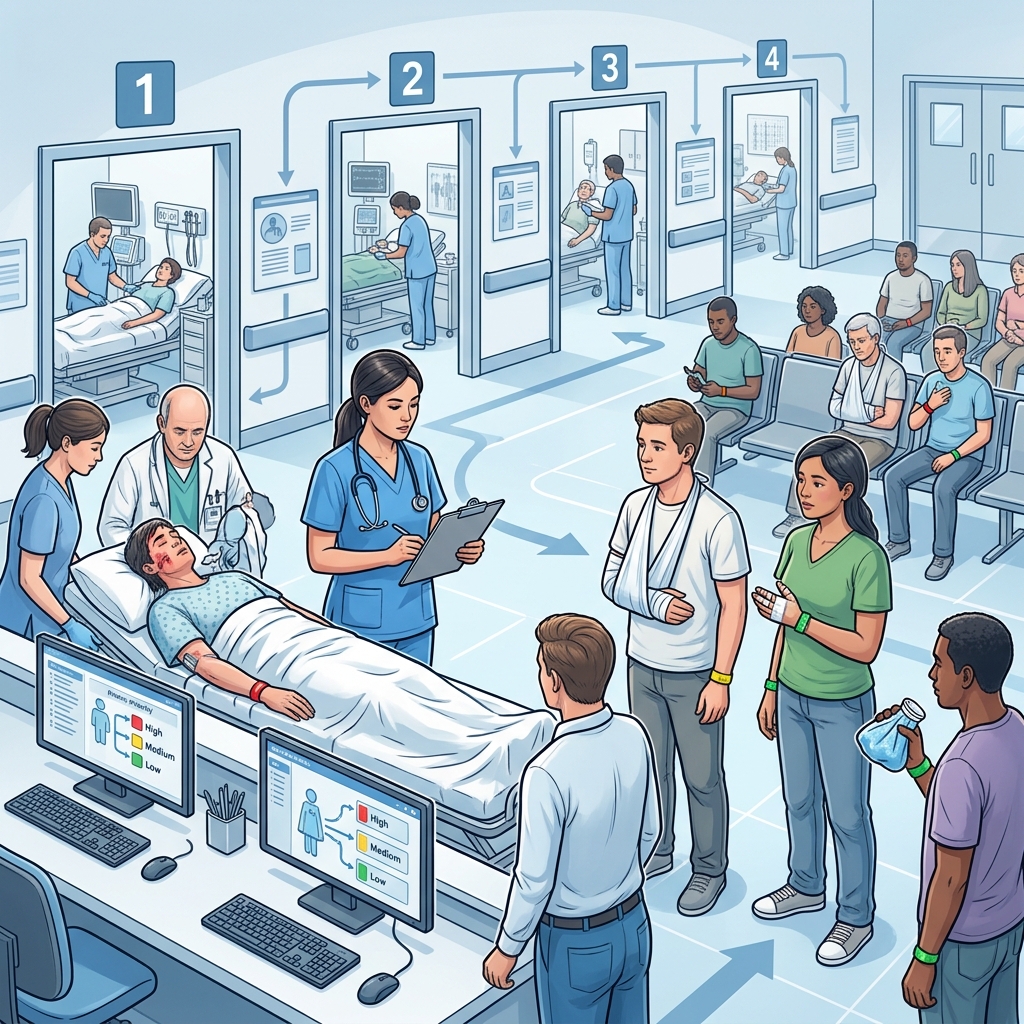 Scheduling algorithms are like ER triage strategies: different policies prioritize different patients.
Common Scheduling Algorithms
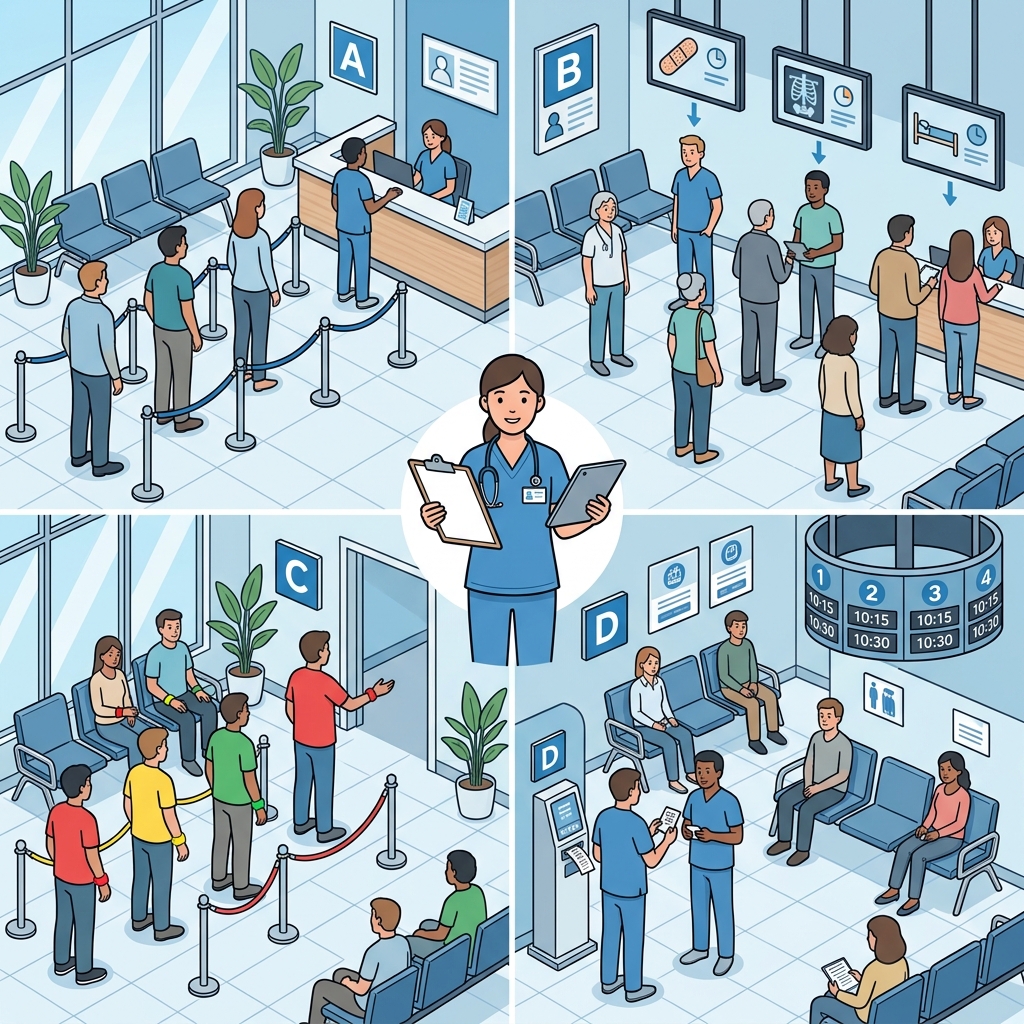 Different scheduling policies manage process queues differently: FCFS, Shortest Job First, Priority Scheduling, and Round Robin.
Here are the most important scheduling strategies, translated into hospital triage terms:
-
First-Come, First-Served (FCFS): Patients are seen in the order they arrive, no exceptions. Simple but unfair — a patient with a paper cut who arrived first blocks the heart attack patient behind them.
-
Shortest Job First (SJF): The nurse estimates each patient's treatment time and treats the fastest ones first. Minimizes average wait time but risks starvation: the complex surgery patient may never be seen if minor injuries keep arriving.
-
Priority Scheduling: Each patient gets a wristband: 🔴 critical, 🟡 medium, 🟢 minor. Red wristbands are always seen first. Used by real ER departments. Risk: low-priority patients can starve. Solution: aging — gradually increasing a patient's priority the longer they wait.
-
Round Robin (RR): The doctor gives each patient exactly 5 minutes of attention, then moves to the next patient in line, cycling back around. The workhorse of modern OSes. Fair and responsive but adds context-switch overhead. The 5 minutes is the time quantum.
Preemptive vs. Non-Preemptive
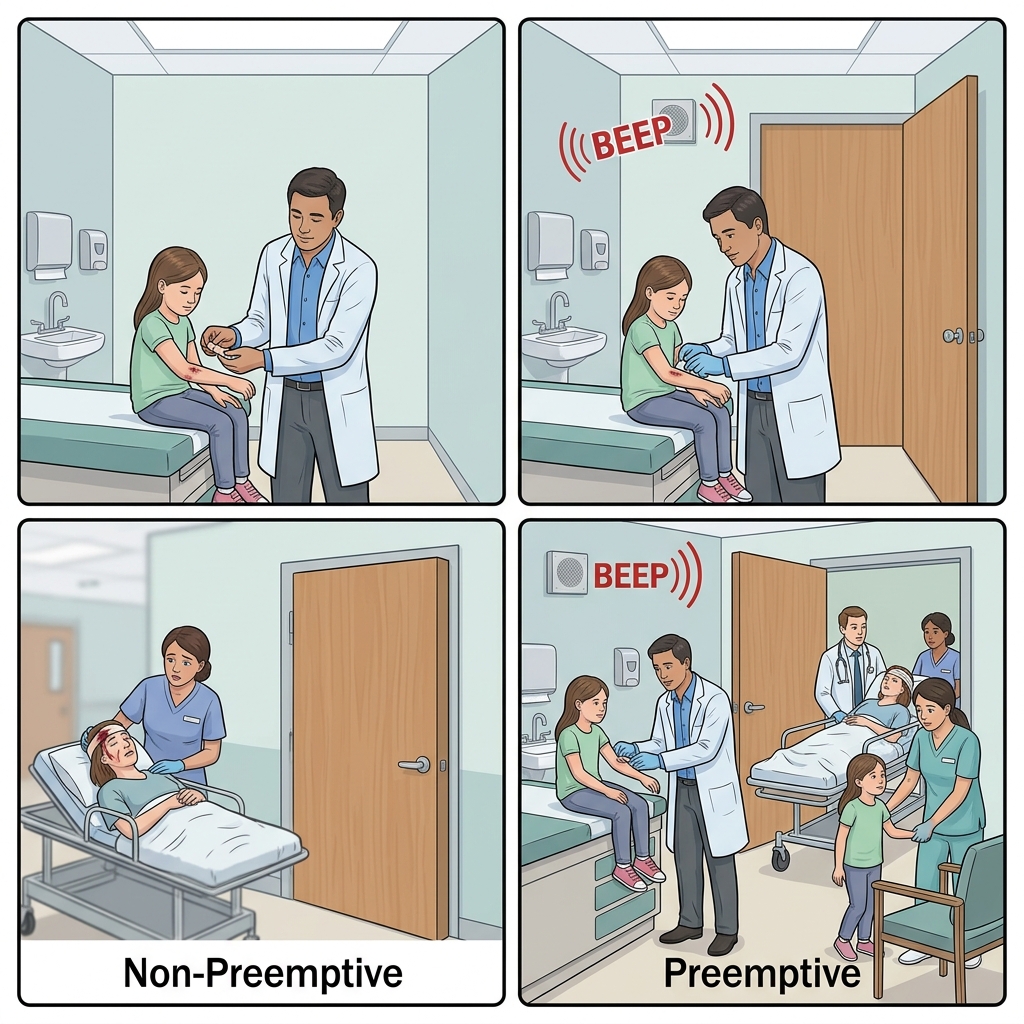 Non-Preemptive (left): once in treatment, a patient stays until done. Preemptive (right): high-priority emergency interrupts treatment mid-operation.
In non-preemptive scheduling, once a patient enters the treatment room, they stay until they are finished (like FCFS). In preemptive scheduling, the triage nurse can interrupt a patient's treatment mid-operation if a higher-priority emergency arrives. Modern operating systems are almost always preemptive.
5. Concurrency and Synchronization: The Narrow Bridge
When multiple threads or processes need to access the same shared resource (a file, a variable, a database row), chaos can erupt.
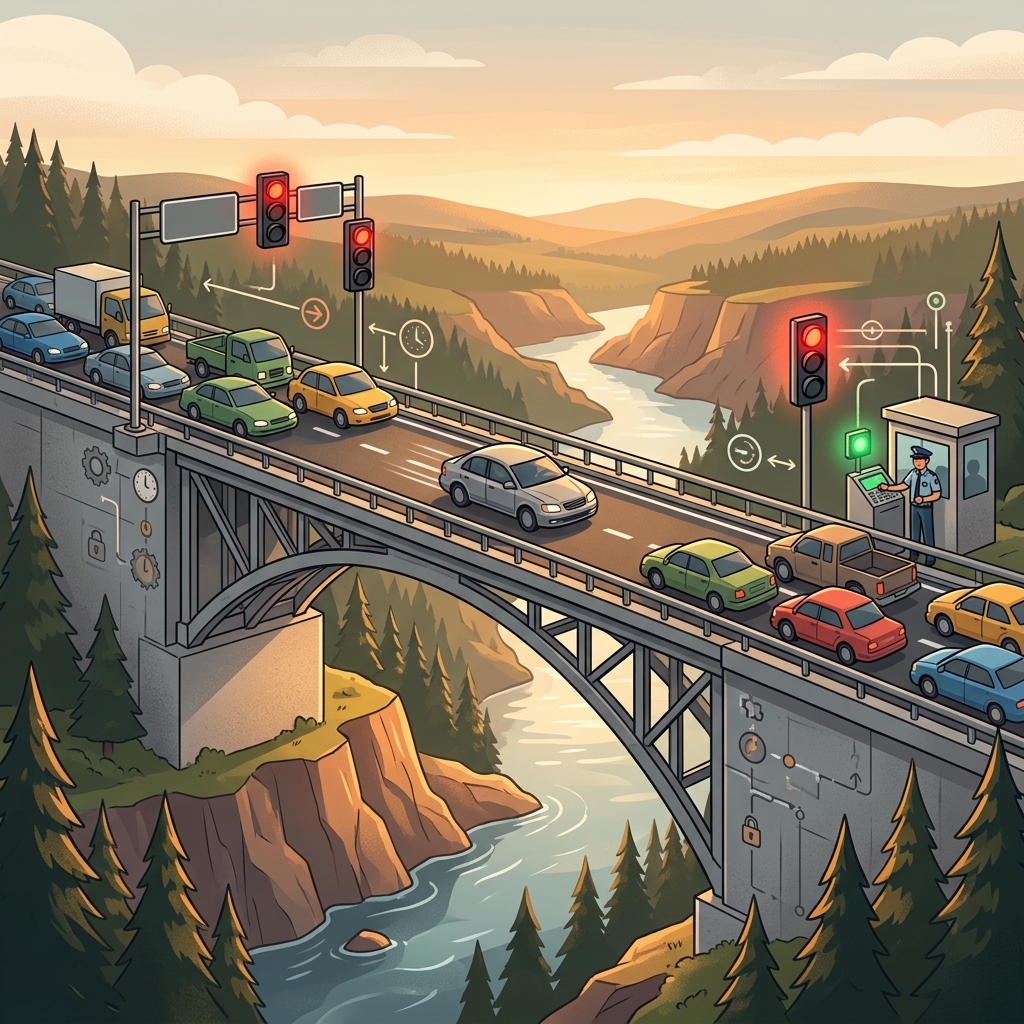 A narrow one-lane bridge with traffic signals is the perfect analogy for mutual exclusion: only one car (thread) crosses at a time.
Imagine a narrow, one-lane bridge over a river gorge. Cars come from both directions. If two cars try to cross at the same time, they collide. This is the race condition — the operating system's equivalent of a head-on crash.
The Critical Section
 The critical section is a gated single-lane bridge: only one process/thread may enter at a time while others wait at the gate.
The bridge itself is the critical section — the stretch of code where a thread accesses shared data. The rule is simple: only one thread may be on the bridge at a time.
To enforce this, the OS provides synchronization primitives — different types of traffic control systems:
Mutex (Mutual Exclusion Lock): The Key to the Bridge
 A mutex is a single key on a hook: take it to enter, return it when you leave. If the key is gone, you wait.
A mutex is the simplest mechanism. Think of a single physical key hanging on a hook at the bridge entrance. Before crossing, you take the key. When you reach the other side, you hang the key back. If someone else arrives and the key is gone, they wait until it is returned.
pthread_mutex_lock(&bridge_lock);    // Take the key
// Cross the bridge (critical section)
cross_bridge();
pthread_mutex_unlock(&bridge_lock);  // Return the key
Semaphore: The Parking Garage Counter
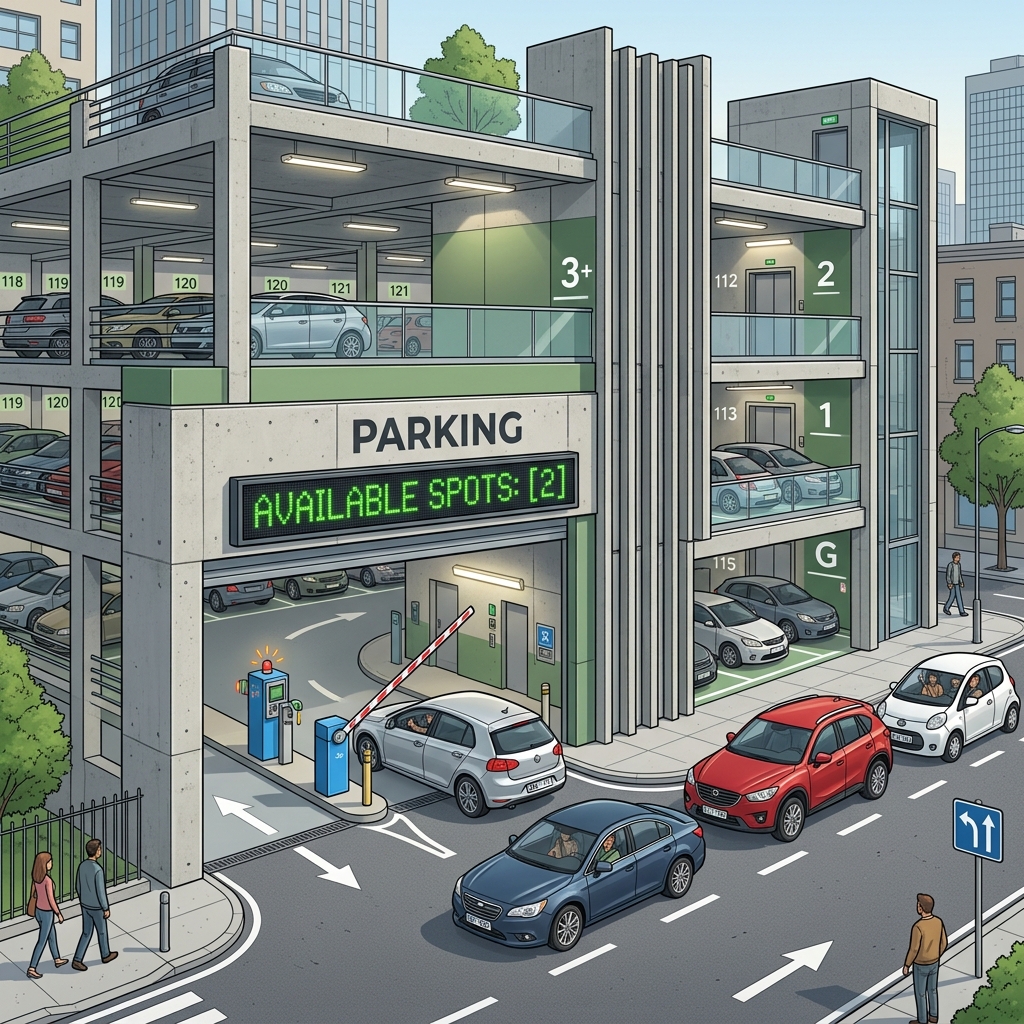 A semaphore tracks available slots: the counter decrements on entry and increments on exit. When it hits zero, everyone waits.
A semaphore generalizes the concept. Instead of a single key, imagine a parking garage counter displaying the number of available spots. Each car entering decrements the counter; each car leaving increments it. If the counter hits zero, incoming cars wait.
A semaphore initialized to 1 behaves like a mutex. But a semaphore initialized to 5 allows up to five threads to enter the critical section simultaneously — perfect for a resource pool (e.g., a database connection pool with 5 connections).
Monitor: The Automated Traffic Controller
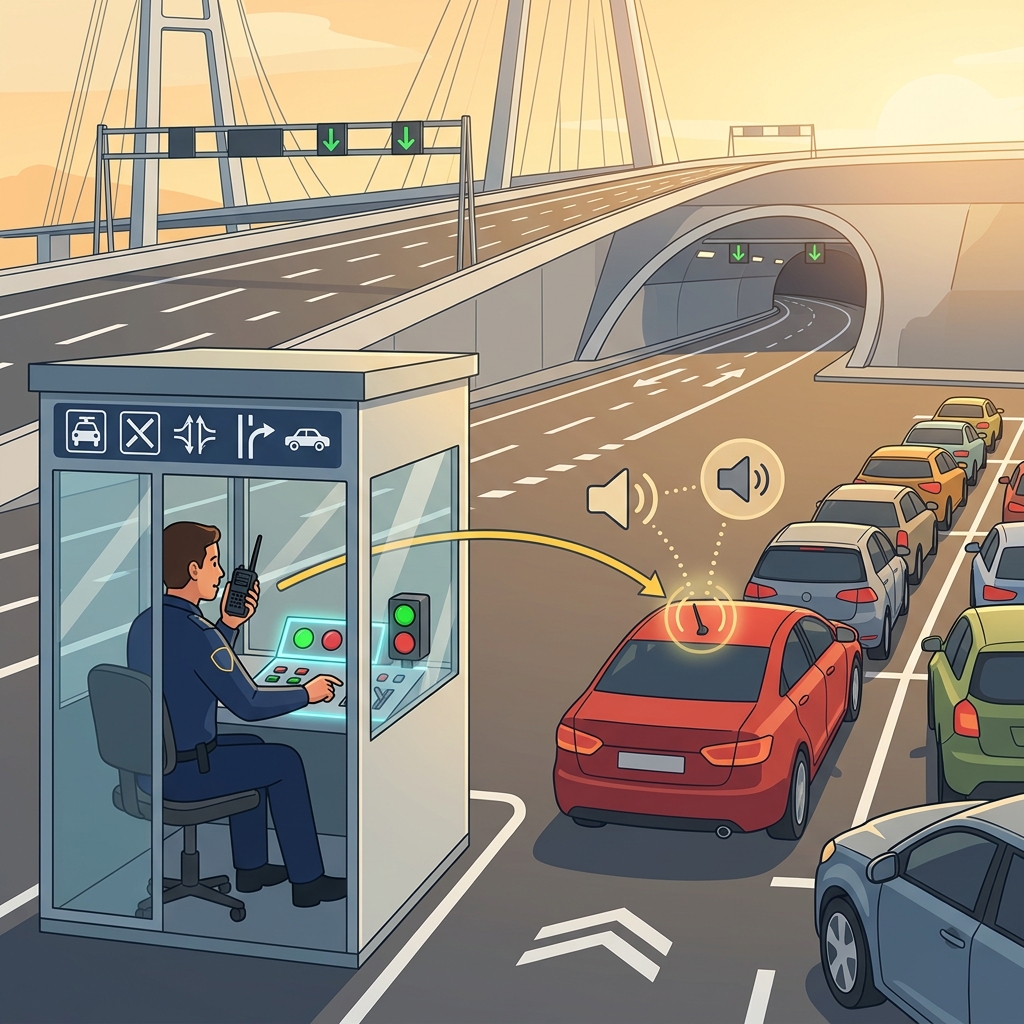 A monitor is a traffic controller who manages the key AND radios waiting cars when the bridge is clear — no need to keep checking.
A monitor combines a mutex with condition variables — smart waiting signals. Think of a traffic controller at the bridge booth who not only manages the key but also has a radio. When a car arrives and the bridge is full, the controller says: "Wait here, I will radio you when the bridge is clear."
This avoids busy waiting (the car endlessly checking "Is it clear yet? Is it clear yet?") and replaces it with efficient notification.
6. Deadlocks: The Four-Way Gridlock
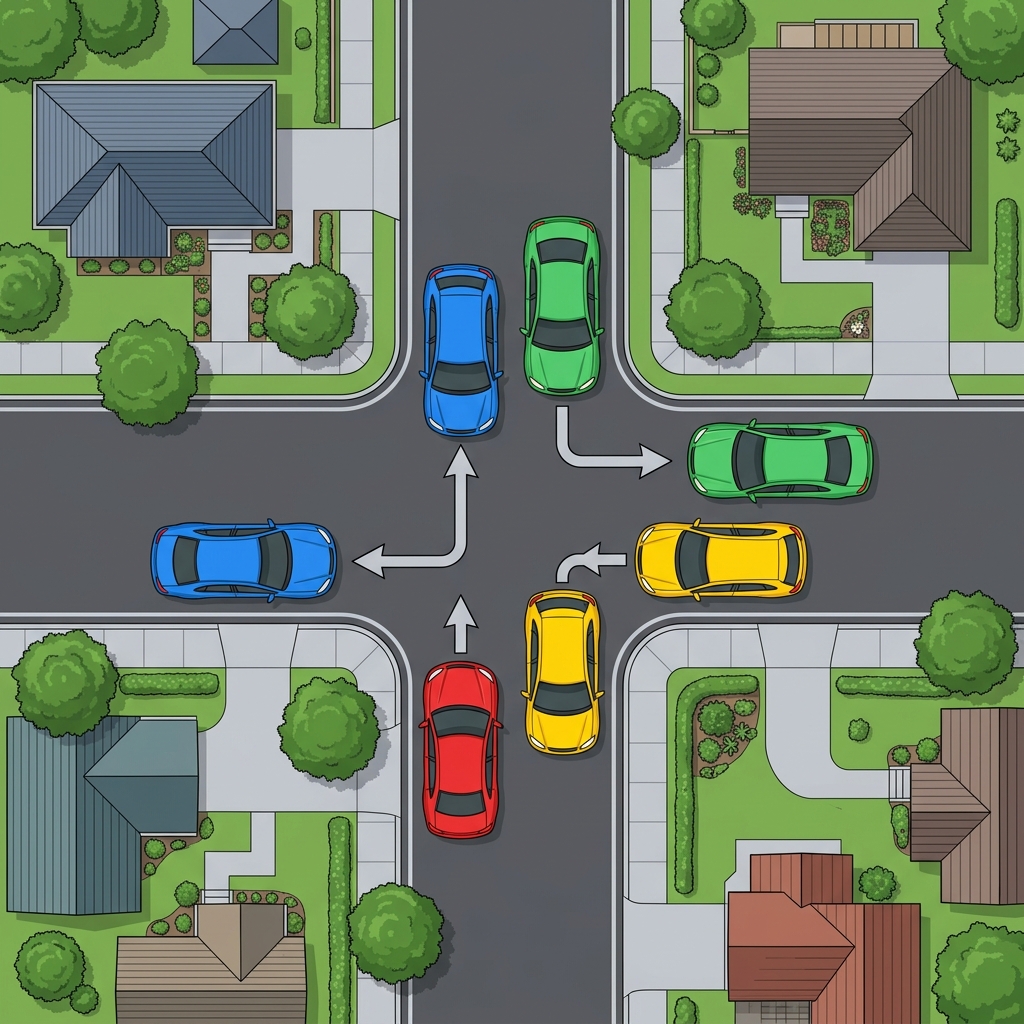 Four cars at a four-way intersection, each holding one lane and needing the next: a perfect circular dependency. Nobody can move.
Sometimes, synchronization goes horribly wrong. Consider a four-way intersection with no traffic lights, where four cars arrive simultaneously from all four directions:
- Car A holds the north lane and needs the east lane.
- Car B holds the east lane and needs the south lane.
- Car C holds the south lane and needs the west lane.
- Car D holds the west lane and needs the north lane.
Nobody can move. This is a deadlock — every process is waiting for a resource held by another process, forming a circular chain.
Coffman's Four Conditions
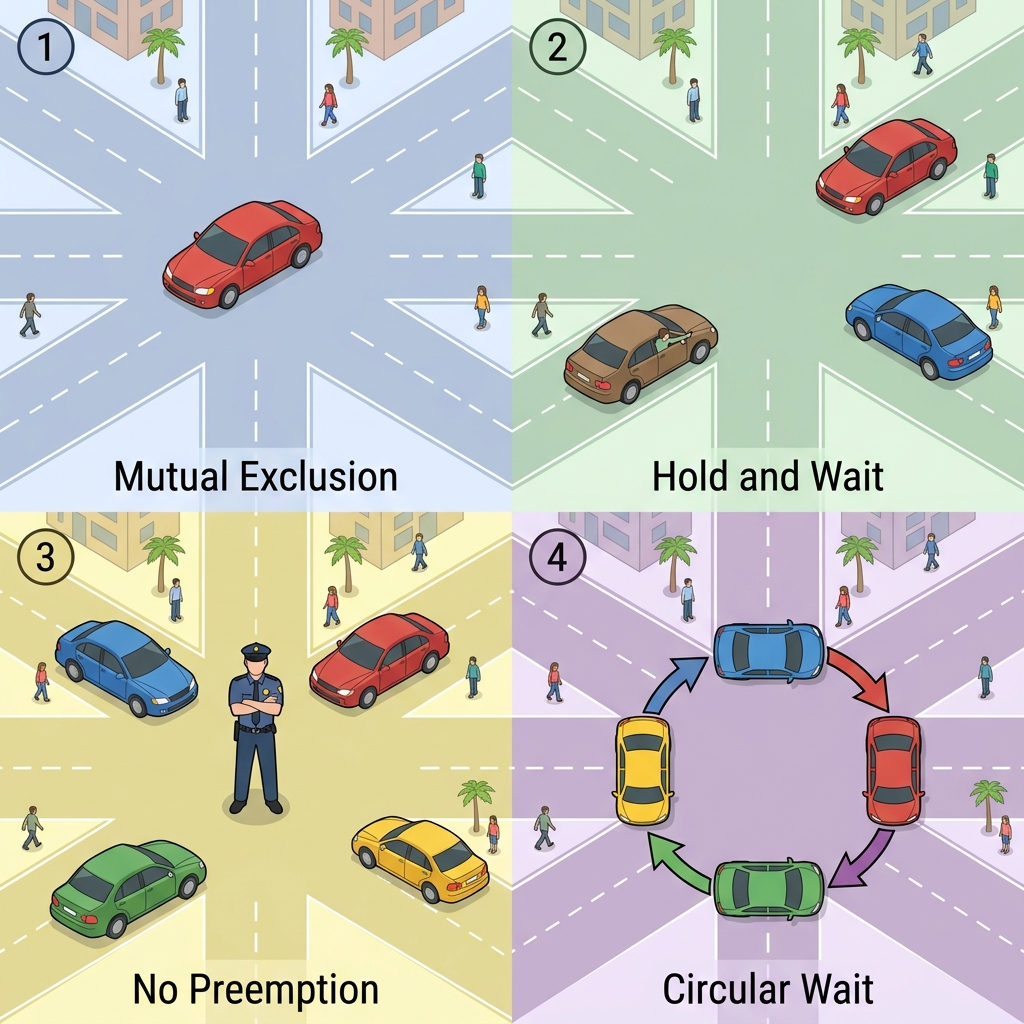 Coffman's four conditions for deadlock: Mutual Exclusion, Hold and Wait, No Preemption, and Circular Wait.
A deadlock can only occur when all four of the following conditions hold simultaneously (known as Coffman's conditions):
- Mutual Exclusion — Each lane can hold only one car.
- Hold and Wait — Each car holds its current lane while waiting for the next one.
- No Preemption — Nobody can force a car out of its lane.
- Circular Wait — A → B → C → D → A — a closed loop of dependencies.
Breaking the Deadlock
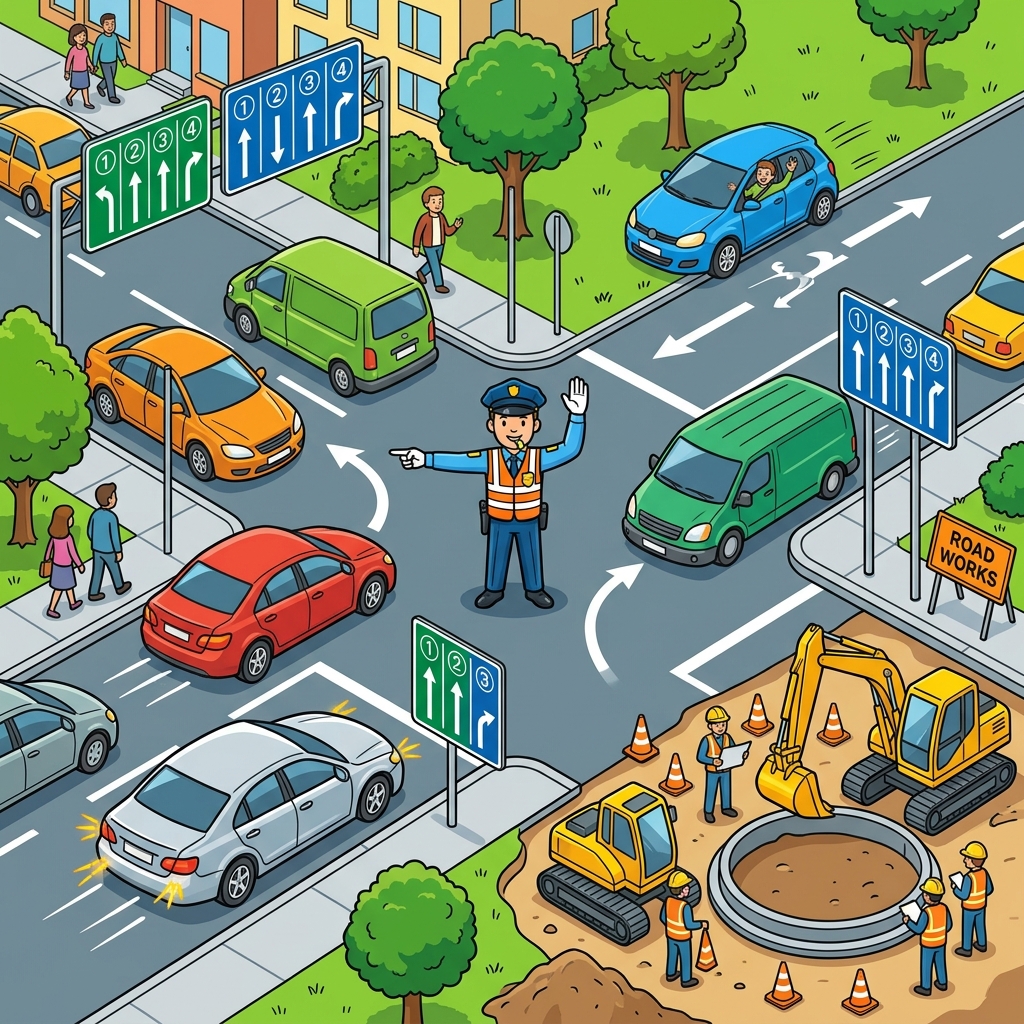 Breaking a deadlock: traffic cops forcing rollbacks, lane reordering, and intersection redesign to eliminate circular wait.
To prevent a deadlock, you need to eliminate at least one of these four conditions:
- Eliminate Hold and Wait: Before entering the intersection, a car must claim all the lanes it needs at once. If any lane is occupied, it backs off and waits before entering any lane. This is the two-phase locking strategy.
- Eliminate Circular Wait: Impose a global ordering on lanes: all cars must request lanes in alphabetical order (East → North → South → West). This prevents the circular chain from forming.
- Allow Preemption: A traffic cop can force a car to back up and yield its lane.
- Eliminate Mutual Exclusion: In some cases, you can redesign the intersection (the resource) to support multiple cars — like a roundabout.
The Dining Philosophers Problem
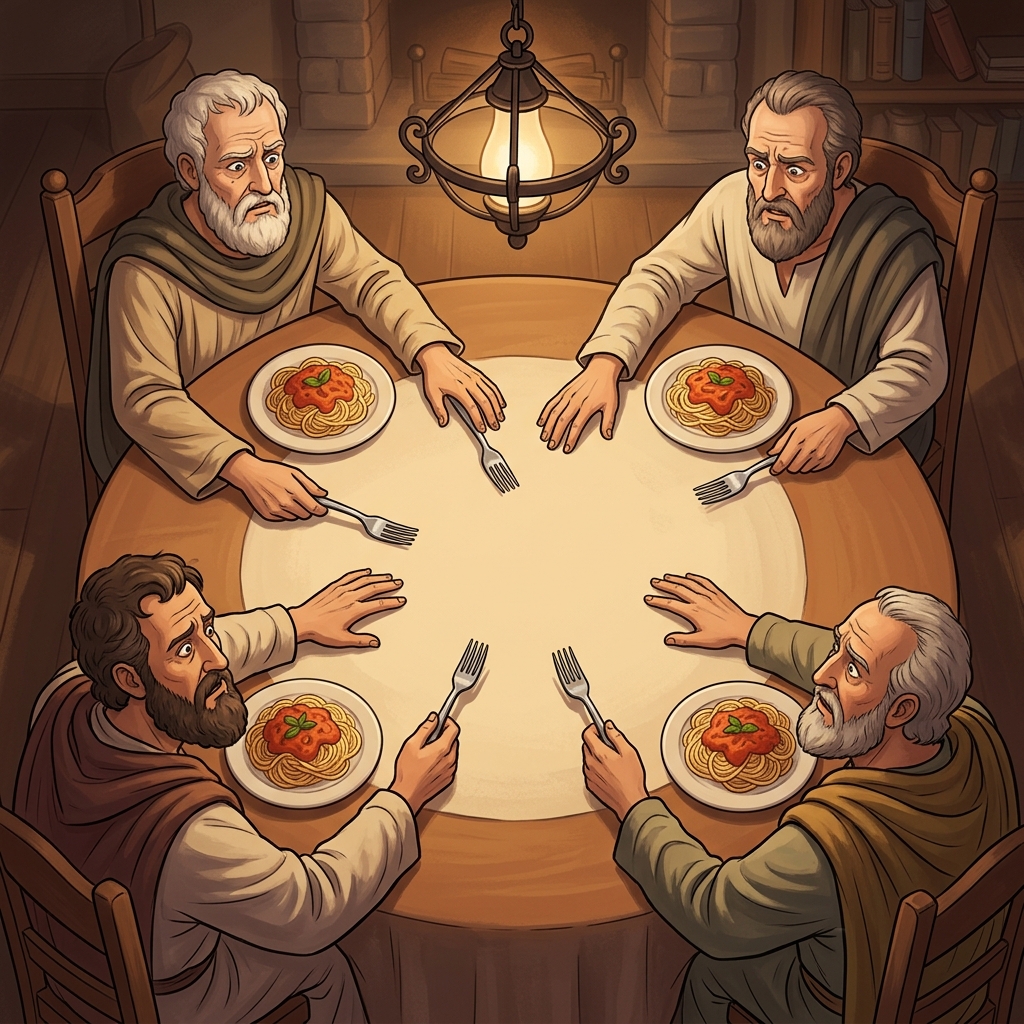 Five philosophers, five forks, one between each pair. If all grab the left fork simultaneously, nobody can eat — deadlock.
The classic illustration of deadlock is the Dining Philosophers Problem: five philosophers sit at a round table, each with a plate of spaghetti and a single fork between each pair. A philosopher needs two forks to eat. If all five simultaneously pick up the fork to their left, nobody can pick up the right fork — deadlock. The solution? Make one philosopher pick up the right fork first, or require philosophers to pick up both forks atomically.
7. Memory Management and Virtual Memory: The Library
Every process needs memory to hold its code, data, and stack. But physical RAM is limited and shared by all processes. How does the OS manage this?
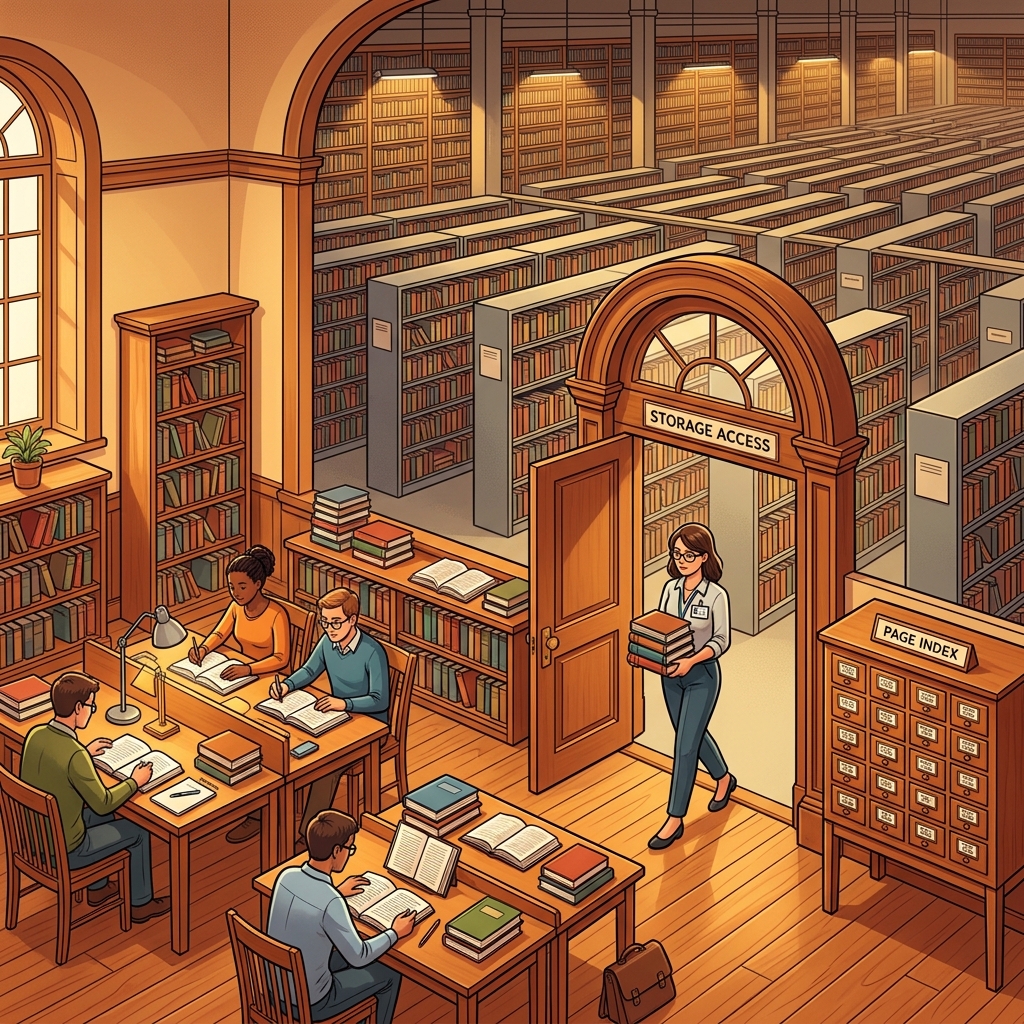 Virtual Memory is a library system: a small reading room (RAM) with a vast warehouse (disk) behind the scenes, managed by a librarian (MMU) and a card catalog (page table).
The Library Analogy
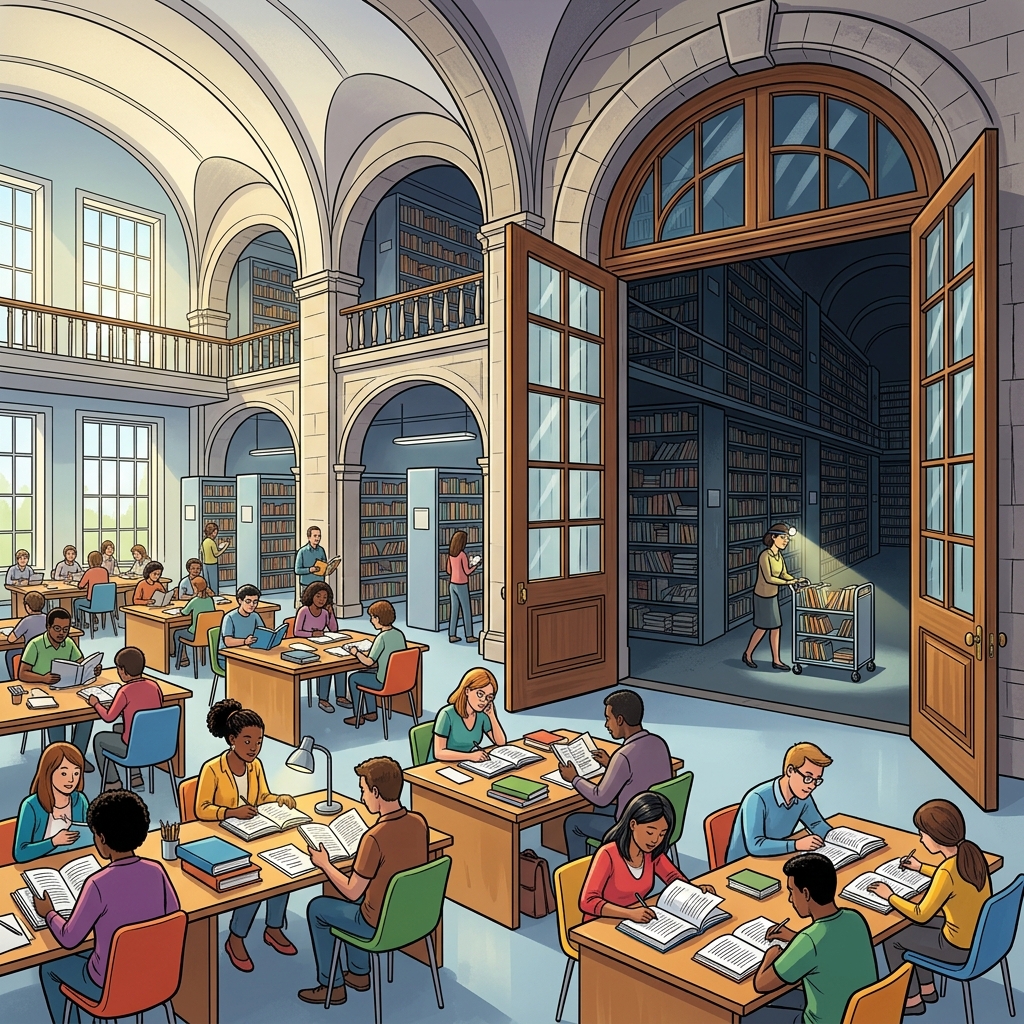 Virtual memory is a library: a bright, fast Reading Room (RAM) backed by a vast multi-level Warehouse (Disk storage).
Imagine a library with two areas:
- The Reading Room (RAM/Physical Memory): A small, fast-access room with a few desks. Readers can only work with books that are physically on their desk.
- The Warehouse (Disk/Secondary Storage): A massive basement holding millions of books, but it takes 5 minutes to walk there and retrieve one.
The librarian (the Memory Management Unit, or MMU) handles the logistics. When a reader requests a book, the librarian checks if it is already in the reading room. If it is — great, instant access. If it is not (a page fault), the librarian walks to the warehouse, retrieves the book, and places it on the desk, potentially removing a less-used book to make space.
The card catalog is the page table — a lookup table that maps book titles (virtual addresses) to their physical locations (shelf positions in the reading room or warehouse aisle numbers).
Paging: Fixed-Size Book Shipments
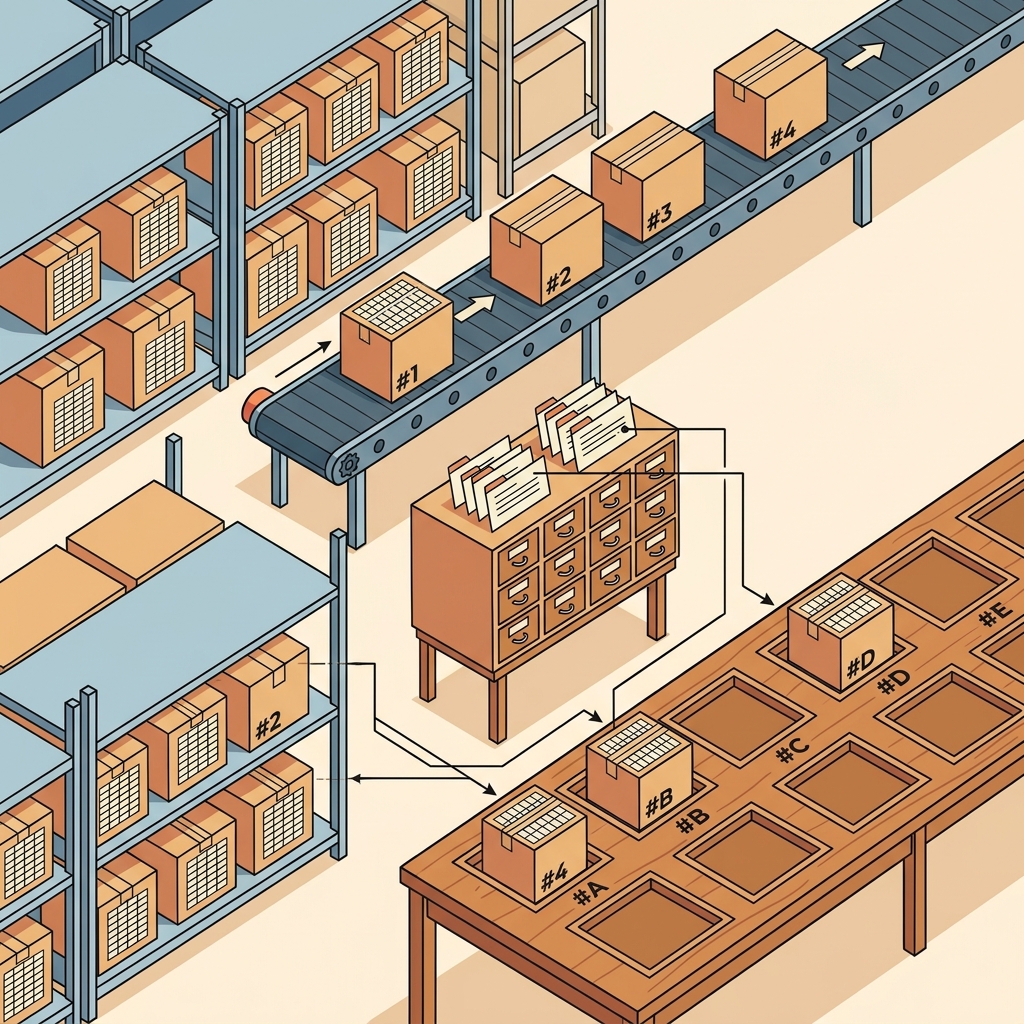 Paging delivers fixed-size 4KB boxes from warehouse shelves to designated reading room desk slots, indexed by the page table card catalog.
Virtual memory divides both the virtual address space and physical RAM into fixed-size chunks called pages (typically 4KB). When a program accesses a page that isn't in RAM, a page fault occurs: the OS pauses the program, loads the missing page from disk into RAM, updates the page table, and resumes execution.
Page Replacement: Which Book to Send Back?
 The librarian holds a new book but the desk is full. Which existing book gets returned? The dusty, untouched one (LRU) is the best candidate.
When the reading room is full and a new book arrives, the librarian must decide which book to return to the warehouse. Common strategies include:
- LRU (Least Recently Used): Return the book nobody has touched in the longest time.
- FIFO (First In, First Out): Return the oldest book, regardless of how often it is being read.
- Clock Algorithm: An efficient approximation of LRU — the librarian walks around the reading room clockwise, giving each book a second chance before removing it.
Thrashing: Too Many Readers, Too Few Desks
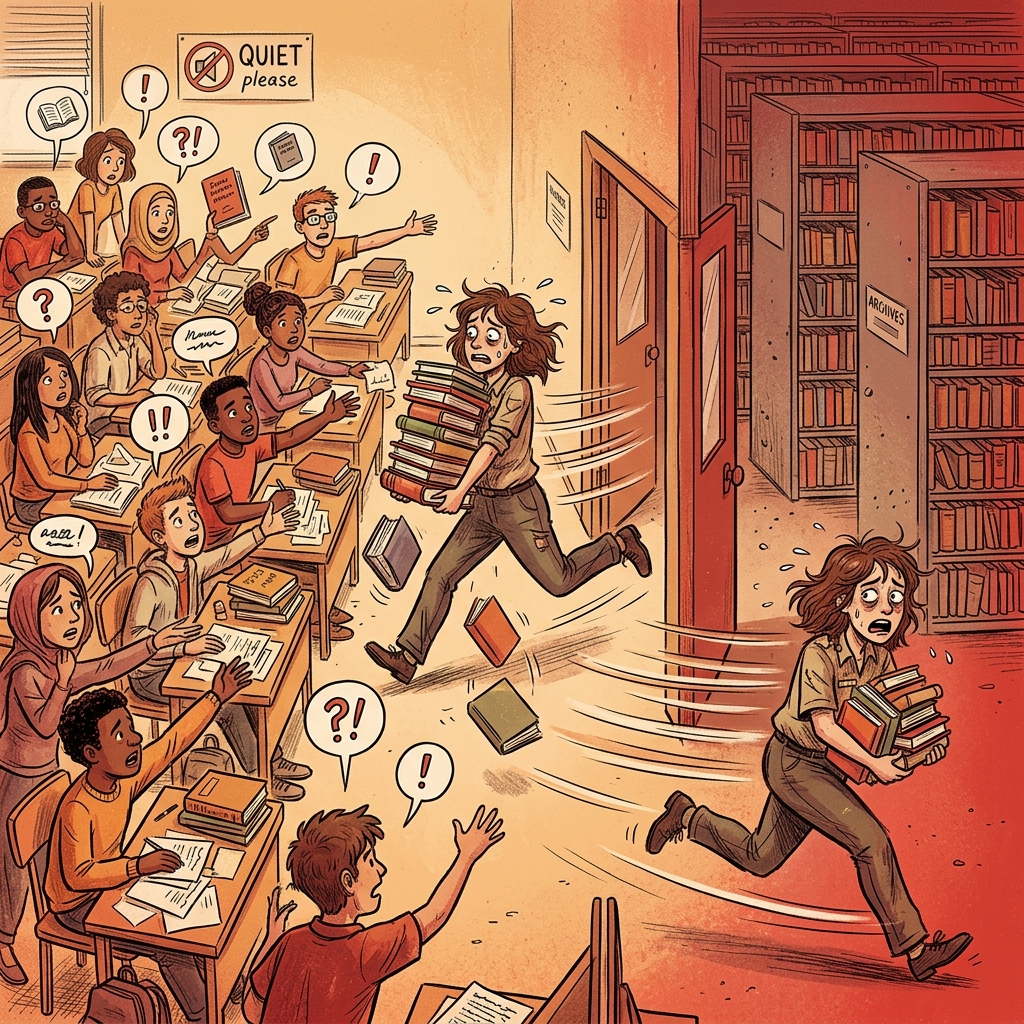 Too many readers, too few desks: the librarian spends all her time running between the reading room and the warehouse, with no time for actual reading.
If too many readers are working simultaneously and the reading room is too small, the librarian spends all their time shuttling books back and forth between the reading room and the warehouse, with no time left for actual reading. This is called thrashing — the system grinds to a near-halt because it is spending more time swapping pages than executing programs.
8. File Systems: The Filing Cabinet
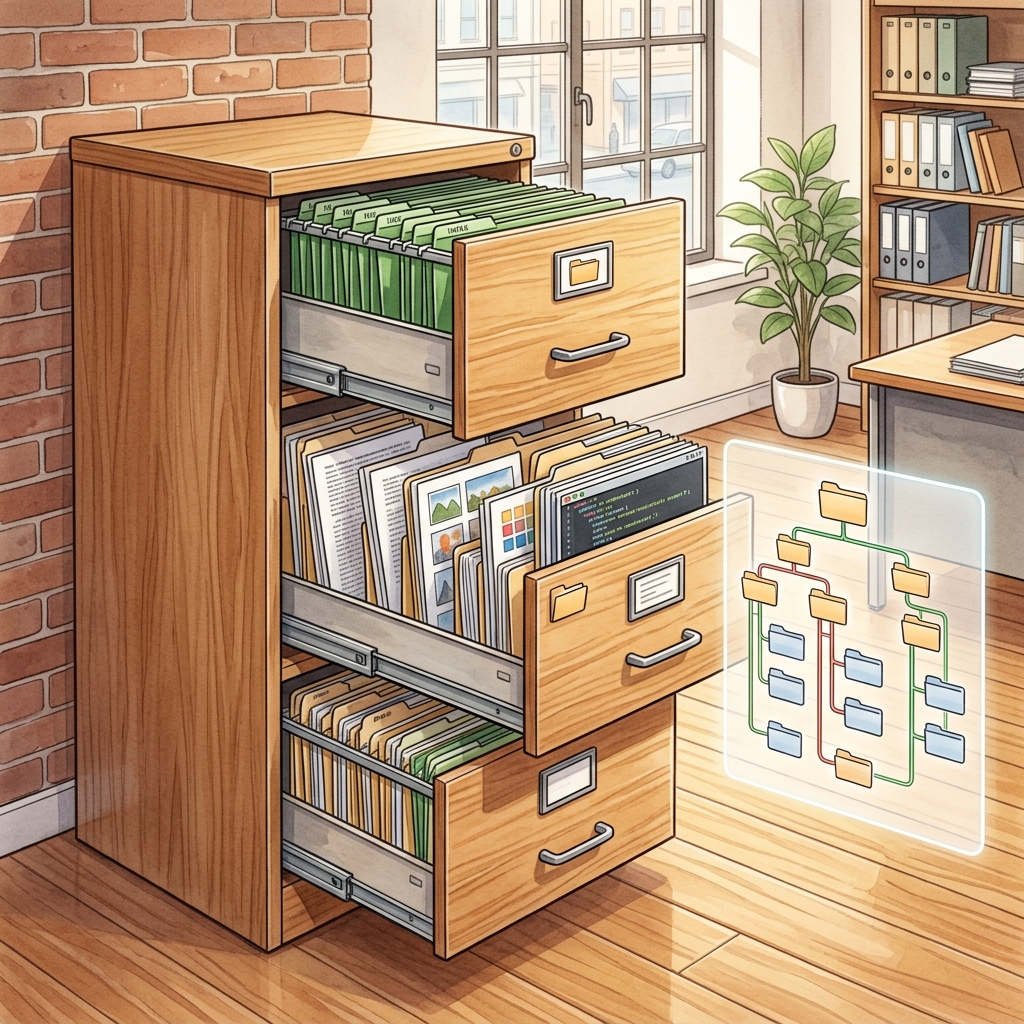 A file system is a filing cabinet: drawers (directories) contain folders (files), organized in a hierarchical tree structure.
Programs and users need to store data permanently — surviving reboots, power outages, and software crashes. This is the job of the file system.
Think of a file system as an enormous filing cabinet in an office.
Files: The Documents
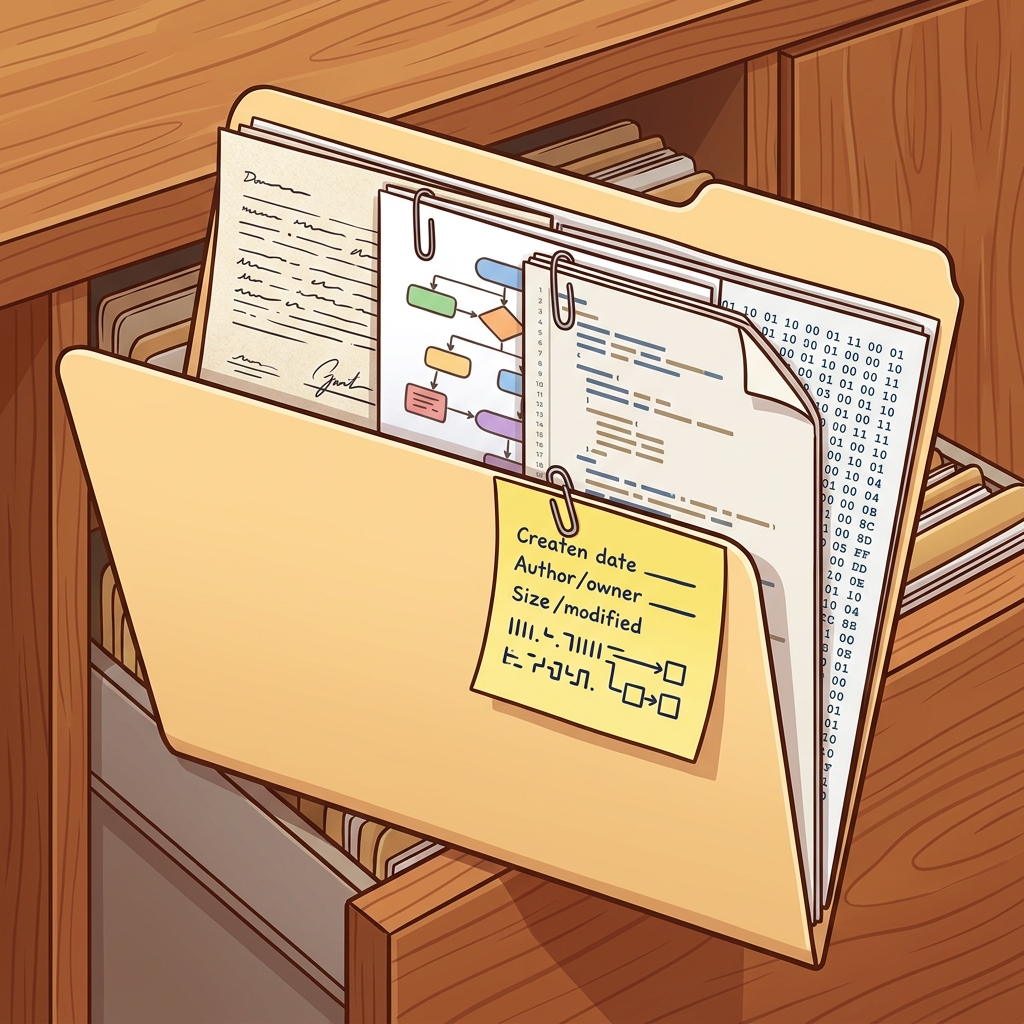 A file is a document folder containing data pages with a sticky note specifying metadata: owner, size, permissions, and block pointers.
A file is a named collection of data — a single document in the cabinet. It can hold text, images, code, or raw binary data. Every file has:
- A name (the label on the folder tab).
- Metadata (the sticky note on the folder: creation date, size, permissions, owner).
- Contents (the actual pages inside the folder).
Directories: The Cabinet Drawers
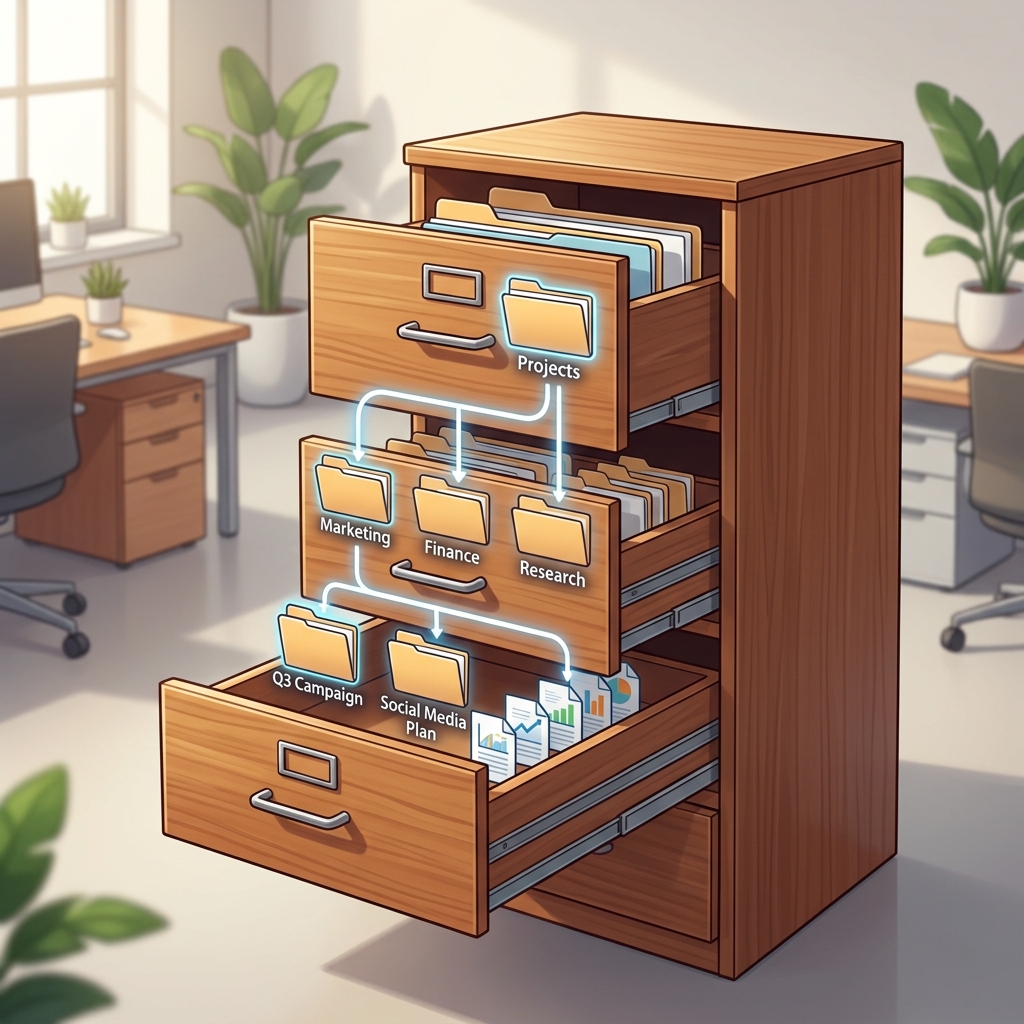 A directory structure is an organized cabinet with drawers containing sub-folders, organized in a hierarchical tree.
A directory (or folder) is a container that holds files and other directories, forming a tree structure. The topmost directory is the root (/ on Linux, C:\ on Windows).
Inodes: The Catalog Card
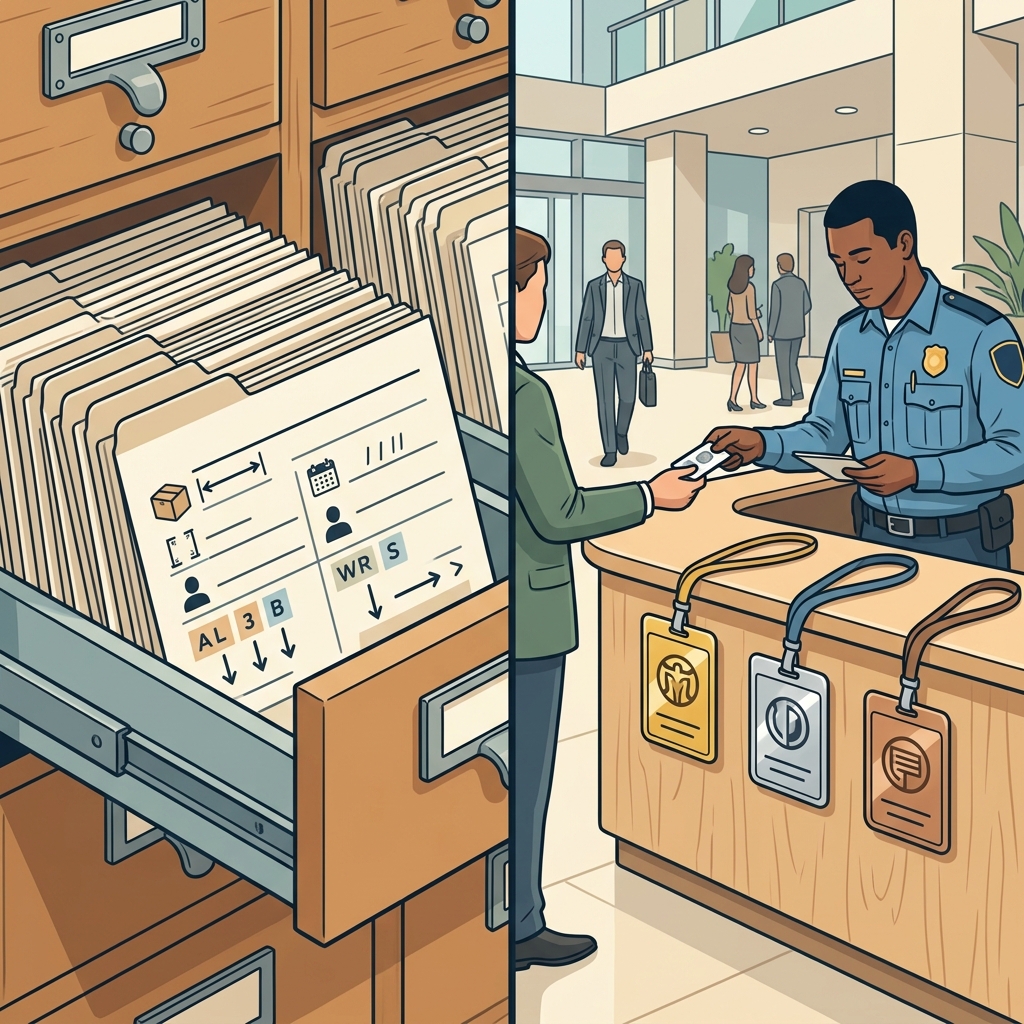 Left: an inode is a catalog card recording size, owner, and disk block locations. Right: permissions are access badges — gold (owner), silver (group), bronze (others).
On Unix/Linux systems, the file's metadata is stored in a data structure called an inode (index node). Think of it as the catalog card in a library — it records the file's size, owner, permissions, timestamps, and the list of disk blocks where the file's data is physically stored. The filename itself is stored separately in the directory, which maps names to inode numbers — like a phone book mapping names to phone numbers.
Permissions: The Office Access Badges
 Permissions act like access badges: Gold (Owner) gets Read/Write/Execute, Silver (Group) gets Read/Execute, Bronze (Others) gets Read only.
File systems enforce access control through permissions. On Unix, every file has three sets of permissions — for the owner, the group, and others — each specifying whether they can read (r), write (w), or execute (x) the file.
-rwxr-xr--  1 jose  staff  4096 Jul 26 10:00 server.js
#  ^^^          owner: read, write, execute
#     ^^^       group: read, execute
#        ^^^    others: read only
9. I/O and Device Management: The Personal Assistant
 The I/O manager is a hyper-efficient personal assistant handling slow external requests, printer jobs, and deliveries so the CPU executive works uninterrupted.
The final major subsystem of the OS handles Input/Output (I/O) — communication between the CPU and external devices like disks, keyboards, network cards, and displays.
The problem: I/O devices are enormously slow compared to the CPU. Reading a byte from a hard disk takes about 10 million times longer than reading a byte from a CPU register. If the CPU had to sit and wait for the disk to respond every time it needed data, it would be wasting 99.9999% of its time doing nothing.
The OS solves this with three increasingly clever strategies:
Polling: Checking the Mailbox Every Five Minutes
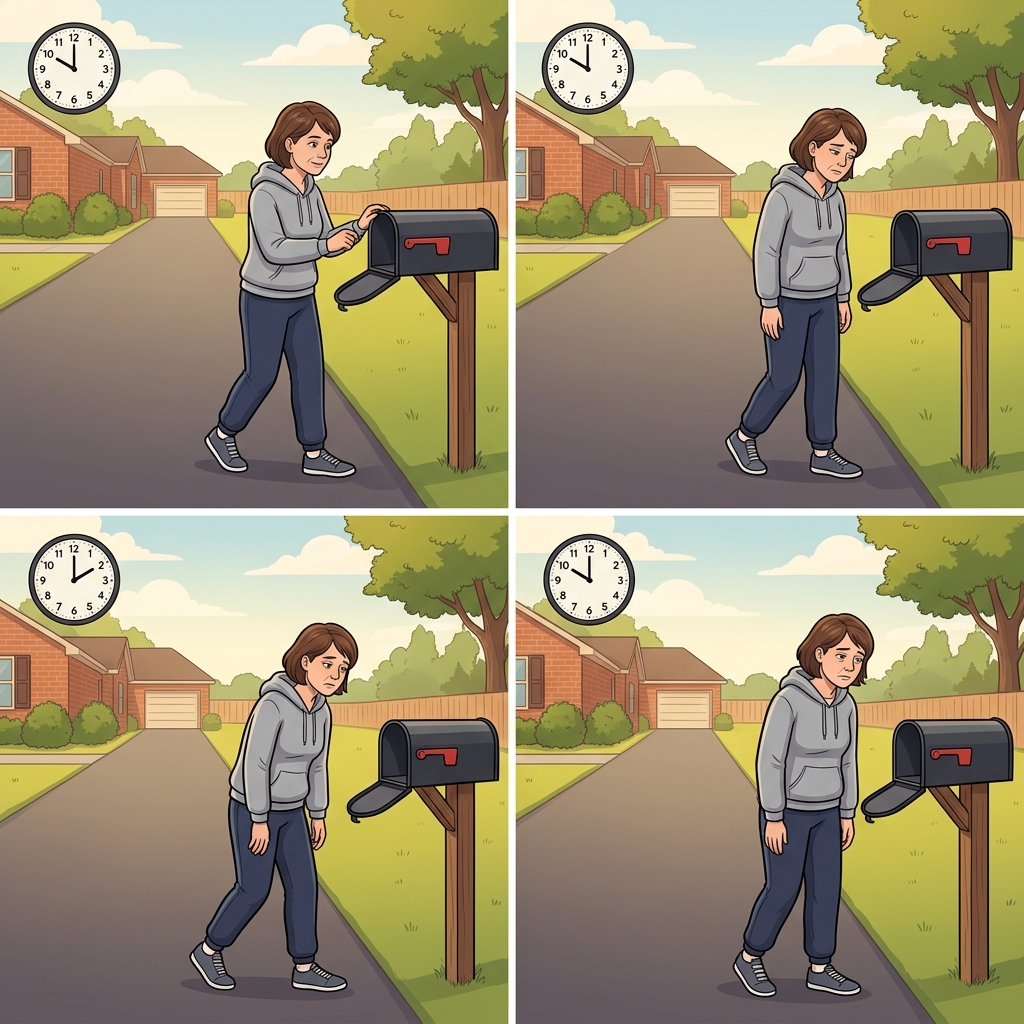 Polling is walking to the empty mailbox every five minutes. It works, but wastes enormous amounts of your time.
The simplest approach: the CPU repeatedly asks the device, "Is my data ready? Is my data ready?" This is like walking to the mailbox every five minutes to check for a delivery. It works but wastes enormous amounts of CPU time.
Interrupts: The Doorbell
 Interrupts are the doorbell: the delivery person rings when the package arrives. You don't have to keep checking.
A much better approach: the device rings a doorbell (fires an interrupt signal) when it is ready. The CPU goes about its other business and is only interrupted when the data has actually arrived. This is how modern keyboards, mice, and network cards work.
DMA (Direct Memory Access): The Delivery Service
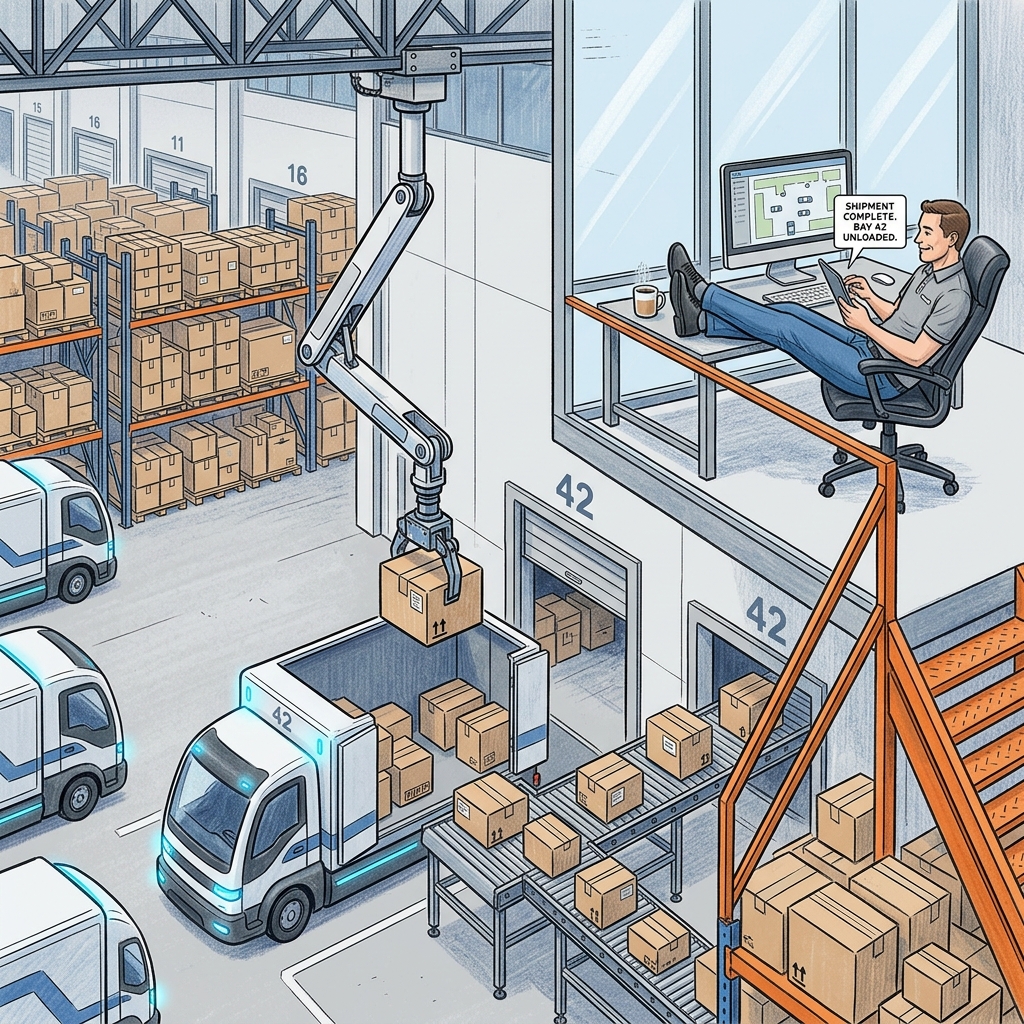 DMA is an autonomous delivery fleet: the trucks unload directly into the warehouse while the manager relaxes upstairs, only notified when the shipment is complete.
For bulk data transfers (reading a large file from disk), even interrupts are too chatty — one interrupt per byte would drown the CPU. DMA solves this by letting the device write data directly into RAM without involving the CPU at all. It is like hiring a delivery service: you tell them "deliver 1000 boxes to warehouse slot 42", and they do it autonomously, only calling you when the entire shipment is complete.
Buffering: The Loading Dock
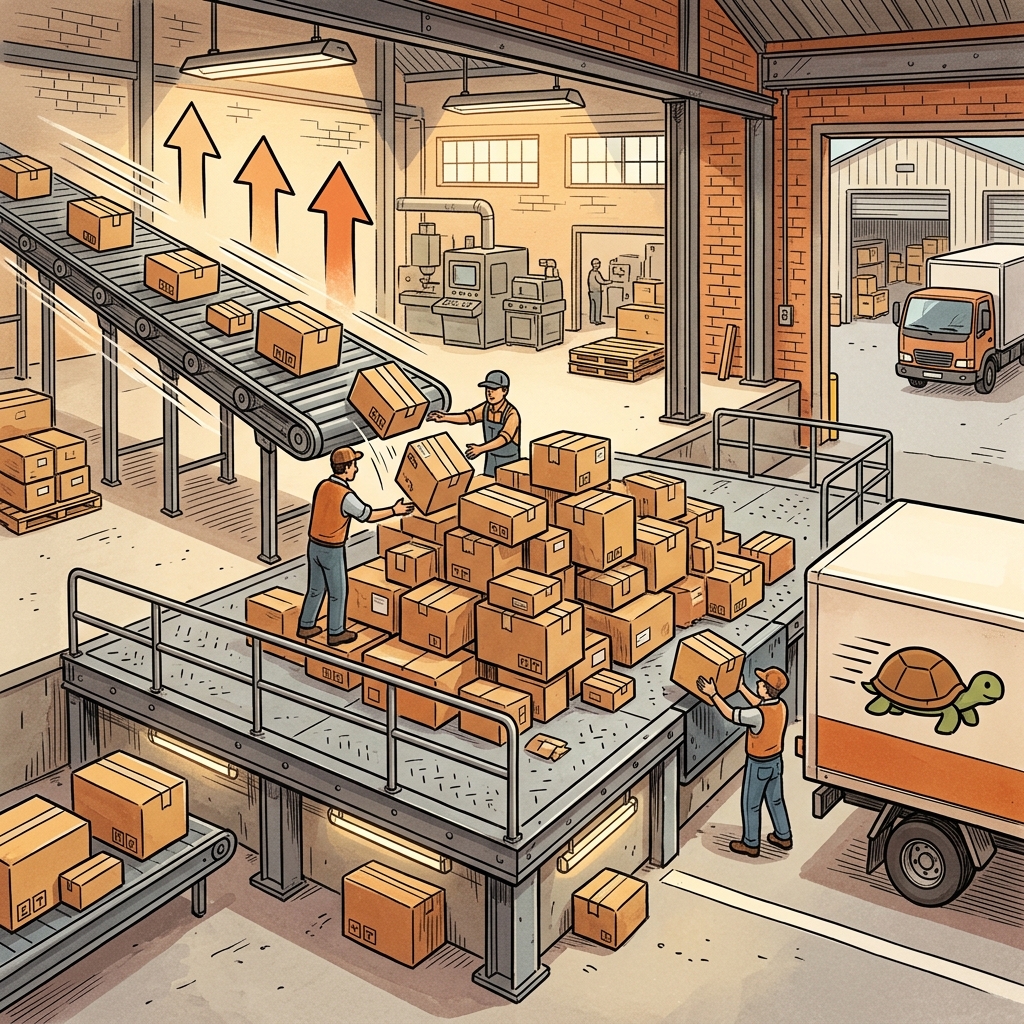 A buffer is a loading dock: the fast conveyor belt piles packages on the platform, and the slow truck loads them at its own pace.
The OS uses buffers (temporary storage areas) to absorb speed differences between the CPU and devices. Think of a loading dock between the fast assembly line inside the factory and the slow delivery truck outside. The dock accumulates packages from the assembly line at high speed and hands them to the truck at the truck's pace, decoupling the two speeds.
Summary: The Operating Systems Cheat Sheet
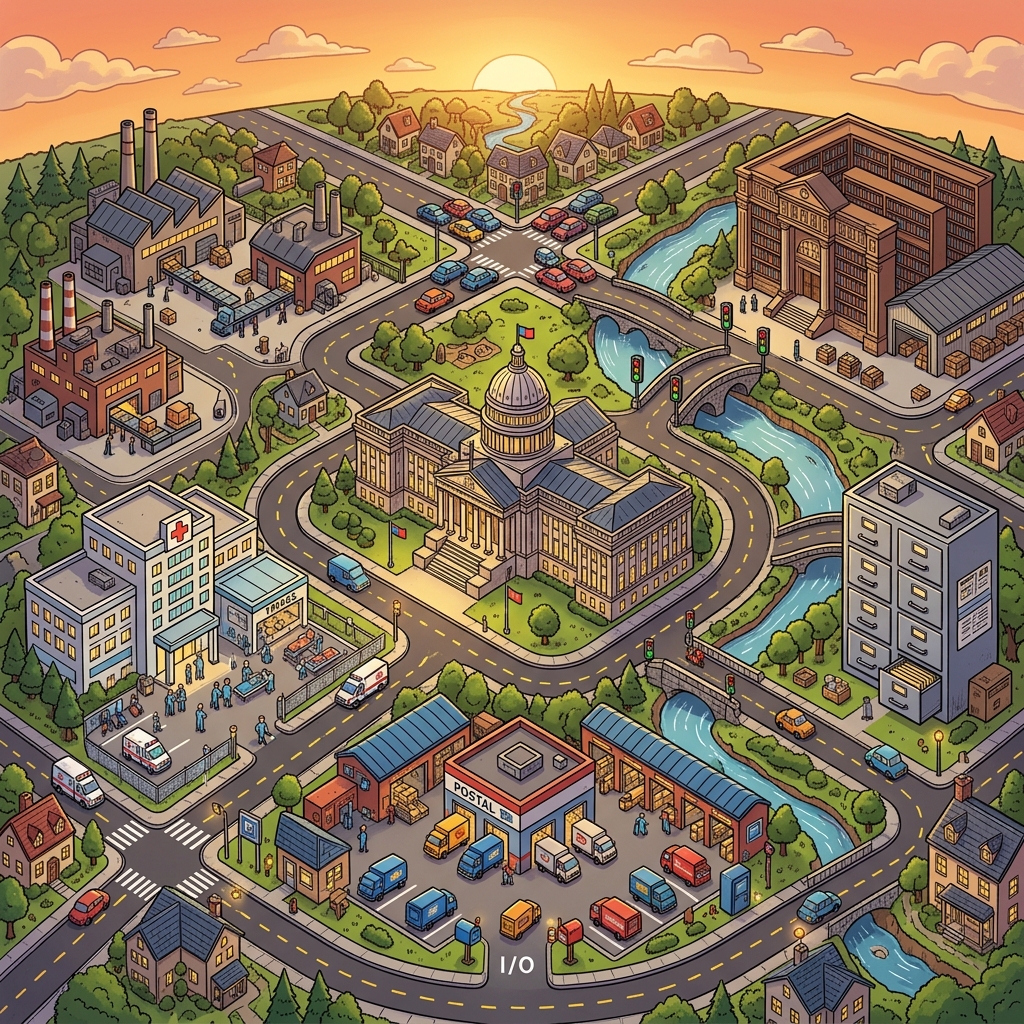 An entire miniature city representing the OS: the kernel (government), factories (processes), hospital (scheduler), bridge (synchronization), intersection (deadlocks), library (memory), filing office (file system), and postal hub (I/O).
To wrap it up, here is how the physical world maps to the OS world:
- Operating System (Restaurant Manager): Coordinates CPU, memory, I/O, and scheduling without doing the computation itself.
- Process (A Self-Contained Factory): Isolated program with its own memory, code, and state.
- Thread (A Worker Inside the Factory): Lightweight execution unit sharing the factory's resources.
- Context Switch (The Juggler Swapping Props): Saving one process's state and loading another's, at a cost.
- CPU Scheduler (ER Triage Nurse): Decides which process uses the CPU next (FCFS, SJF, Priority, Round Robin).
- Mutex / Semaphore (Bridge Key / Parking Counter): Synchronization primitives preventing race conditions.
- Deadlock (Four-Way Gridlock): Circular wait where all processes block each other.
- Virtual Memory (Library with a Warehouse): Illusion of unlimited memory using paging between RAM and disk.
- File System (Filing Cabinet): Persistent, structured storage with permissions and metadata.
- I/O Management (Personal Assistant): Bridging the speed gap between CPU and devices via interrupts, DMA, and buffering.
Understanding operating systems is foundational. Every system you design — whether a microservice, a database, or a distributed cluster — runs on top of an OS and is subject to its rules. The next time your application is slow, a process hangs, or a server runs out of memory, you will know exactly where to look.
References & Further Reading
This guide draws on foundational OS concepts from the following textbooks and resources:
- Operating Systems: Internals and Design Principles (7th Edition) by William Stallings (Prentice Hall, 2012) — a comprehensive reference covering processes, concurrency, memory management, scheduling, I/O, and security.
- Sistemas Operativos by Pedro de Miguel Anasagasti & Fernando Pérez Costoya (Universidad Politécnica de Madrid) — a thorough Spanish-language university textbook covering computer architecture, process management, memory, file systems, and synchronization.